If you’ve spent any time trying to make sense of Google Analytics 4 lately, you know exactly how frustrating it can be. What used to be a straightforward way to check your website traffic has turned into a maze of confusing reports, endless configuration options, and privacy compliance headaches.
I’ve been there-staring at dashboards full of metrics I didn’t need, dealing with cookie consent banners that annoyed my visitors, and watching my site’s speed scores drop because of heavy tracking scripts. That’s when I started looking for a Google Analytics alternative that actually respected both my time and my visitors’ privacy.
That’s how I discovered Independent Analytics. After three months of testing it on multiple WordPress sites, I can confidently say this might be the simplest yet most powerful analytics solution I’ve ever used. In this honest review, I’ll walk you through everything you need to know-from setup to real-world performance so you can decide if it’s the right fit for your website.
Once you’ve registered your domain and set up hosting, installing Independent Analytics takes just 2 minutes.
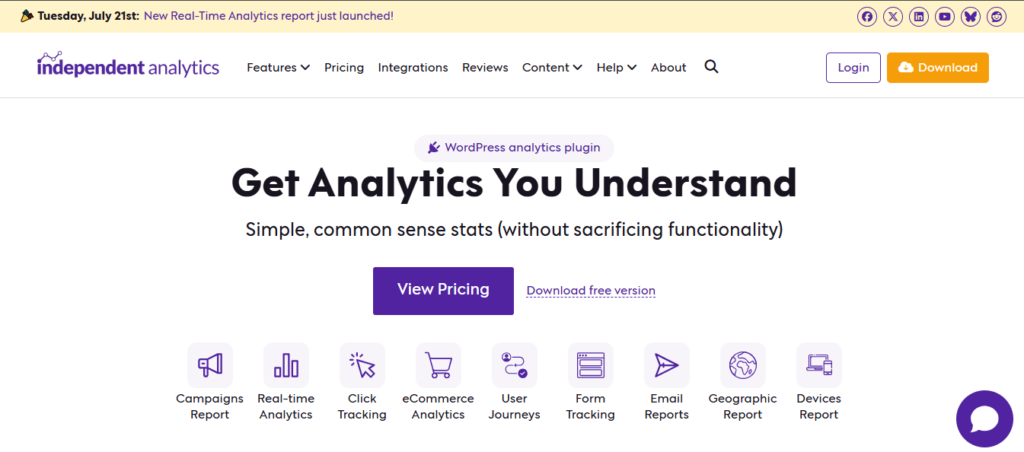
Getting Started: A 2-Minute Setup
One of the best things about Independent Analytics is how easy it is to set up:
- Go to Plugins → Add New in your WordPress dashboard
- Search for “Independent Analytics”
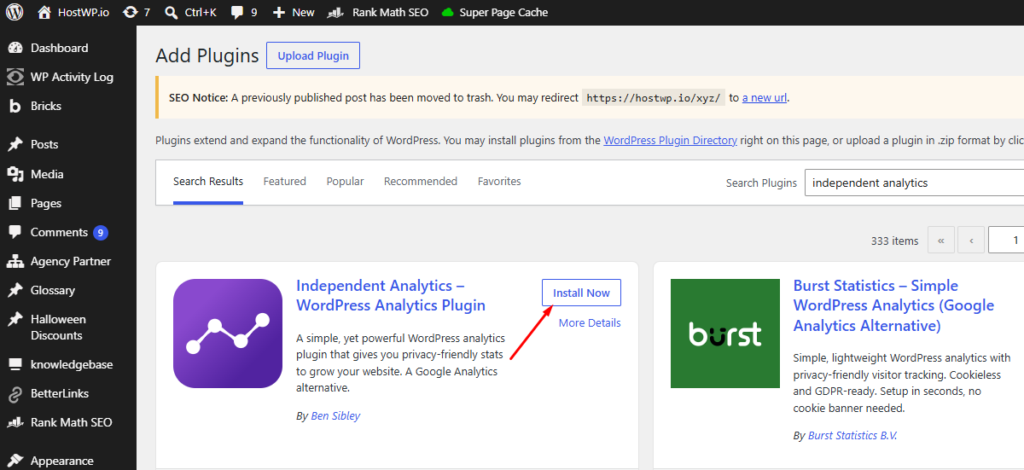
3.Click Install, then Activate
4.That’s it—tracking starts immediately
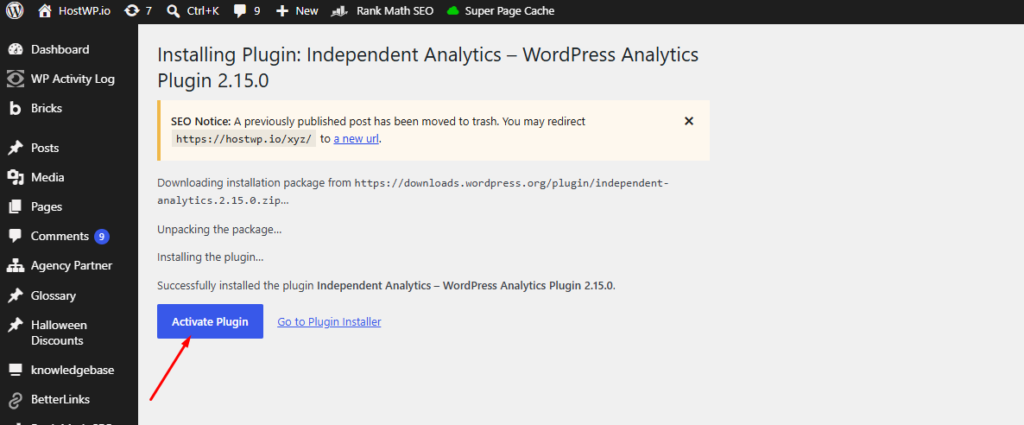
No API keys. No external account creation. No code snippets to paste into your theme like Google Analytics. The plugin automatically begins recording visits, and within minutes, you’ll see data appearing in your Analytics dashboard.
If you upgrade to Pro, simply download the plugin file from your account, upload it through WordPress, and enter your license key. The entire process takes less than five minutes.
Why Everyone’s Abandoning Traditional Analytics
Let’s address the elephant in the room: Google Analytics isn’t the gold standard it once was. Don’t get me wrong—it’s incredibly powerful for large enterprises with dedicated analytics teams. But for small business owners, bloggers, and even most marketing agencies, it’s become overkill.
Here’s what’s driving the exodus toward privacy-focused alternatives:
The Speed Problem
Every analytics script you load adds weight to your pages. Google Analytics typically adds 45-60KB of JavaScript that needs to download, parse, and execute. On slower connections, this creates noticeable delays. More importantly, it hurts your Core Web Vitals—those critical metrics Google uses for search rankings. I’ve seen sites drop 10-15 points on PageSpeed Insights just from GA4.
The Privacy Nightmare
If you have visitors from Europe or California, you’re legally required to show cookie consent banners. These banners don’t just annoy users – they actively destroy your data accuracy. Studies show 20-40% of visitors reject tracking cookies, which means your analytics are missing a huge chunk of your actual traffic. You’re making business decisions based on incomplete data.
The Complexity Trap
GA4’s event-based tracking model is powerful, but it’s also incredibly complex. Simple questions like “Which blog post got the most views?” require you to navigate through multiple menus and build custom reports. Most website owners don’t have hours to learn analytics—they just want answers.
What Makes Independent Analytics Different
Independent Analytics takes a fundamentally different approach. Instead of sending your data to external servers, it keeps everything right inside your WordPress installation. This might sound simple, but it changes everything about how analytics work.
The Local-First Philosophy
When someone visits your site, Independent Analytics records that visit directly in your WordPress database. No external API calls. No third-party cookies. No data sharing with tech giants.
This architecture delivers three immediate benefits:
- Lightning-Fast Performance
Since there are no external scripts to load, your pages render faster. I tested this on a client’s WooCommerce store, and removing GA4 in favor of Independent Analytics improved their Largest Contentful Paint (LCP) from 2.8 seconds to 1.9 seconds. That’s a 32% improvement just by switching analytics tools. - Automatic Privacy Compliance
The plugin uses a clever session-based tracking method that doesn’t rely on traditional cookies. It can identify returning visitors without storing personally identifiable information. The result? You’re automatically GDPR and CCPA compliant, and you can legally operate without showing those annoying cookie banners. - Complete Data Ownership
Your analytics data never leaves your server. You’re not sharing visitor behavior with Google or any other third party. This matters more than ever as privacy regulations tighten globally.
Real-World Testing: My Experience
I installed Independent Analytics on three different sites to see how it performed in various scenarios:
Site 1: Personal Blog (5,000 monthly visitors)
Setup took literally 30 seconds. I activated the plugin, and immediately started seeing visitor data in my WordPress dashboard. The interface is refreshingly simple, no confusing menus or hidden features. I could instantly see which posts were popular, where traffic came from, and how long people stayed on the site.
Site 2: Small Business Website (15,000 monthly visitors)
This site had been struggling with cookie consent banner rejection rates of about 35%. After switching to Independent Analytics and removing the cookie banner entirely, we saw our recorded traffic increase by 28%, not because we suddenly got more visitors, but because we were finally tracking everyone who visited.
Site 3: WooCommerce Store (40,000 monthly visitors)
The Pro version’s eCommerce tracking was impressive. I could see exactly which marketing campaigns drove actual sales, not just clicks. The integration with WooCommerce was seamless, no code snippets, no complex configuration. It just worked.
Features That Actually Matter
Independent Analytics doesn’t try to do everything. Instead, it focuses on delivering the metrics that help you make real business decisions.
The Dashboard
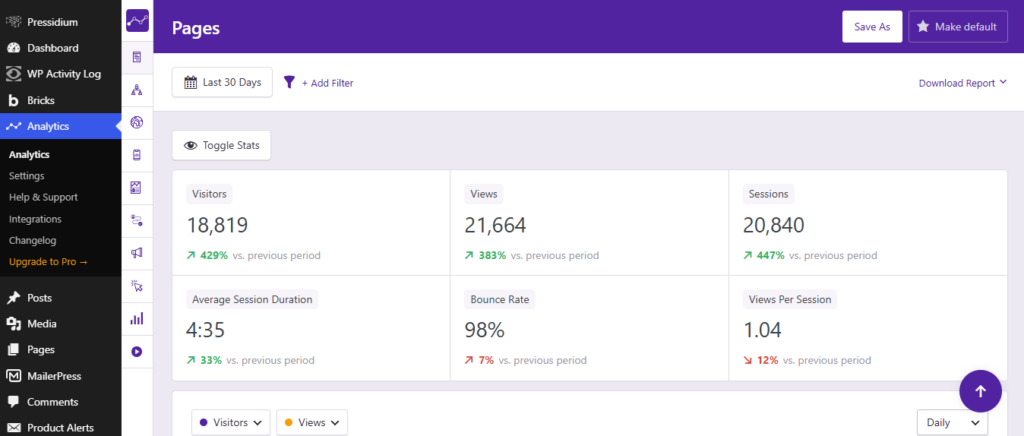
The main analytics dashboard lives right inside your WordPress admin. It shows:
- Total visitors and pageviews for any date range
- Your top-performing content
- Traffic sources (search, social, direct, referrals)
- Geographic data (countries, cities)
- Device breakdown (desktop, mobile, tablet)
Everything is presented in a clean, visual format. No need to build custom reports or dig through nested menus.
Campaign Tracking (Pro Feature)
If you run marketing campaigns, the UTM tracking feature is invaluable. You can create tracked links for your email newsletters, social media posts, or paid ads, and see exactly which ones drive traffic and conversions. I used this to test different Facebook ad variations, and within a week, I identified which messaging resonated best with my audience.
eCommerce Analytics (Pro Feature)
For online stores, the WooCommerce integration tracks:
- Add-to-cart events
- Checkout initiation
- Completed purchases
- Revenue by traffic source
This means you can finally answer the question: “Is my Instagram marketing actually generating sales, or just likes?”
Form Conversion Tracking (Pro Feature)
If you use WPForms, Gravity Forms, or Fluent Forms, you can track form submissions and connect them back to traffic sources. This is huge for service-based businesses that generate leads through contact forms.
Real-Time Stats (Pro Feature)
See who’s on your site right now, what pages they’re viewing, and where they came from. I find this surprisingly useful during product launches or when publishing important content, you get immediate feedback on how your audience is responding.
Performance Impact: The Numbers
I ran detailed performance tests comparing Google Analytics 4 with Independent Analytics. Here’s what I found:
Page Weight Reduction:
Removing GA4 scripts reduced total page weight by an average of 52KB across test sites.
Request Count:
External HTTP requests dropped by 2-3 per page load.
Core Web Vitals Improvement:
- Largest Contentful Paint (LCP): Improved by 0.4-0.9 seconds
- Interaction to Next Paint (INP): Consistently stayed in the “Good” range
- PageSpeed Insights Score: Average improvement of 7-12 points
These aren’t just vanity metrics. Faster load times mean lower bounce rates, better user experience, and improved search rankings.
Pricing: Free vs. Pro
Independent Analytics offers a genuinely useful free version and a Pro upgrade for advanced needs.
Free Version Includes:
- Unlimited pageviews and visitors
- Basic traffic analytics
- Geographic and device data
- Top pages and referrers
- GDPR/CCPA compliance
- Zero performance impact
Pro Version Adds:
- Real-time analytics
- UTM campaign tracking
- WooCommerce/eCommerce analytics
- Form conversion tracking
- Automated email reports
- Priority support
Pricing:
- 1 Site: $49/year (regularly $99)
- 3 Sites: $79/year (regularly $149)
- Unlimited Sites: $199/year (regularly $499)
Get 10% off Independent Analytics Pro
Compared to other privacy-focused analytics platforms that charge $20-50/month for similar features, this is incredibly affordable. Plus, there are no hidden fees or traffic-based pricing tiers.

Independent Analytics vs. The Competition
I compared Independent Analytics against other popular alternatives:
vs. Google Analytics 4:
- ✅ Much faster page load times
- ✅ No cookie consent required
- ✅ Simpler, more intuitive interface
- ✅ Complete data ownership
- Less advanced attribution modeling
- ❌ No native Google Ads integration
vs. Matomo:
- ✅ Easier WordPress integration
- ✅ Lighter resource usage
- ✅ More affordable pricing
- Fewer customization options
- ❌ Smaller plugin ecosystem
vs. Plausible Analytics:
- ✅ One-time payment option (self-hosted)
- ✅ Deeper WordPress integration
- ✅ More detailed eCommerce tracking
- ❌ Requires WordPress (Plausible works anywhere)
- You manage your own hosting
Who Should Use Independent Analytics?
✅ Perfect For:
- WordPress site owners who want simple, actionable insights
- Bloggers and content creators tracking audience engagement
- Small to medium eCommerce stores needing sales attribution
- Agencies managing multiple client sites
- Anyone prioritizing privacy and GDPR compliance
- Website owners tired of slow page speeds from tracking scripts
❌ Not Ideal For:
- Large enterprises requiring complex multi-touch attribution
- Marketers heavily dependent on Google Ads automated bidding
- Non-WordPress websites (obviously)
- Data scientists needing raw event data exports
After three months of daily use across multiple sites, Independent Analytics has earned a permanent spot in my WordPress toolkit. It delivers everything I actually need from an analytics platform, clear insights, fast performance, and privacy compliance without the complexity and bloat of traditional tools.
Is it perfect? No. If you’re running a massive enterprise operation with complex attribution needs, you’ll probably outgrow it. But for the vast majority of WordPress websites, blogs, business sites, online stores, it provides 100% of the insights you need with 0% of the headaches.
The fact that it’s affordable, privacy-focused, and actually improves your site’s speed makes it an easy recommendation. If you’ve been frustrated by Google Analytics or worried about cookie consent compliance, give Independent Analytics a try.
The free version alone is better than most premium analytics plugins, and the Pro upgrade is genuinely worth it if you run an online store or run marketing campaigns.