
Setting up a new WordPress website or staging environment usually involves more steps than it should. Before you can even begin development, you often need to register a domain, point nameservers, configure DNS records, and wait for DNS propagation. It is a process every WordPress developer, freelancer, or agency is familiar with, but it adds unnecessary delays when all you really want to do is start building.
At HostWP.io, our goal has always been to simplify WordPress workflows and remove friction wherever possible. Over the last few months, many of our customers asked for a faster way to create development and staging environments without needing to purchase a domain or point an existing one first.
To solve this, we are introducing Temporary Domains, a new feature now available to all HostWP.io customers.
With temporary domains, you can create a fully functional WordPress website instantly using a system-generated URL directly from your hosting account. This means you can launch a development website, test our servers, or prepare a client project without worrying about domain setup at the start.
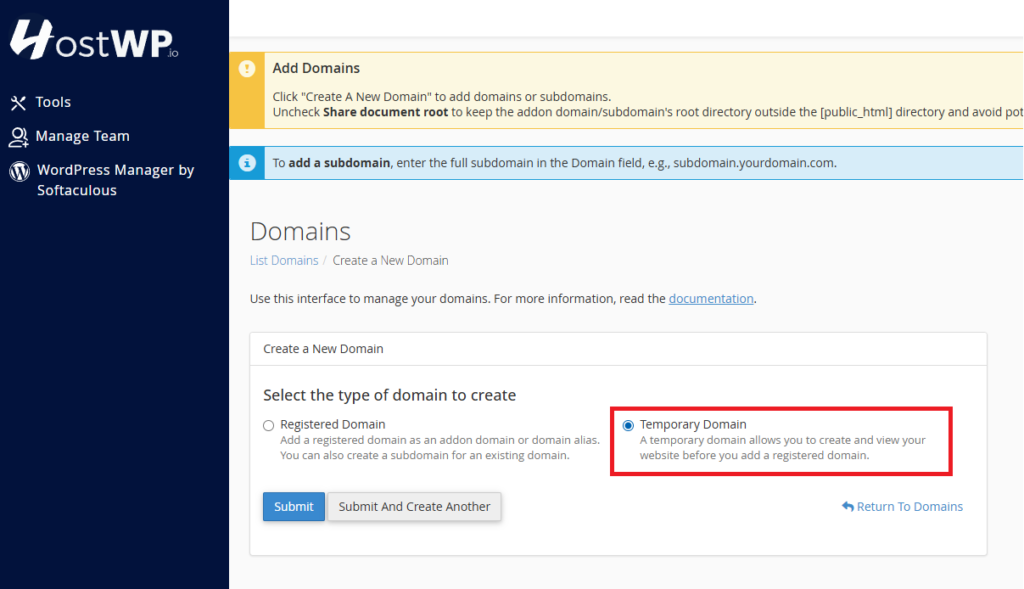
What Are Temporary Domains (Staging Sites)?
Temporary domains are automatically generated URLs that allow you to launch WordPress websites without attaching a real domain name.
Think of them as instant staging or development environments.
Instead of this workflow:
- Buy a domain
- Configure nameservers or DNS records
- Wait for propagation
- Install WordPress
You can now simply:
- Create a temporary domain
- Install WordPress
- Start building immediately
The temporary site behaves like a normal WordPress installation and can be used just like a live website.
Why We Built This Feature
One thing we noticed while onboarding customers is that many users wanted to test HostWP.io before committing to a full migration or DNS change.
Some wanted to migrate an existing website and compare frontend and backend performance first. Others were starting client projects but did not yet have access to the final domain. Agencies were also looking for a faster way to create staging environments for development, QA, and client reviews.
In all these cases, the domain setup process was slowing things down.
A user would purchase hosting but still need extra time before they could properly start using it. That did not align with our philosophy of making WordPress hosting practical and efficient.
Temporary domains solve this problem by allowing customers to start immediately. You get access to a working WordPress environment without waiting on any external dependency.
How You Can Use Temporary Domains
Temporary domains are useful in several common WordPress workflows.
1. Build WordPress Sites Without Buying a Domain
Starting a new website project? You no longer need to purchase a domain before development begins.
Create a temporary domain, install WordPress, and start building immediately.
This is especially useful for freelancers and agencies handling multiple projects.
2. Create Staging Sites for Client Reviews
Need to show progress to a client before launch?
Build the entire project on a temporary domain and share the preview URL.
Clients can review the website before the final domain is connected.
3. Test Themes, Plugins, and Custom Code Safely
Want to test a new plugin, update WooCommerce, or experiment with code changes?
Use a temporary domain as an isolated testing environment without affecting your live website.
4. Run Proper Staging Environments
Experiment with:
- design changes
- plugin updates
- layout redesigns
- functionality testing
before pushing changes to production.
Temporary domains make staging workflows much easier.
5. Test HostWP Performance Before Migrating
If you are considering moving from another host, temporary domains let you test HostWP first-hand.
You can migrate your website to a temporary domain environment and test:
- frontend speed
- WordPress admin responsiveness
- plugin compatibility
- server performance
before updating DNS.
This gives you confidence before making the final switch.
How to Create a Temporary Domain in HostWP
Creating a temporary domain is simple and available directly in your control panel.
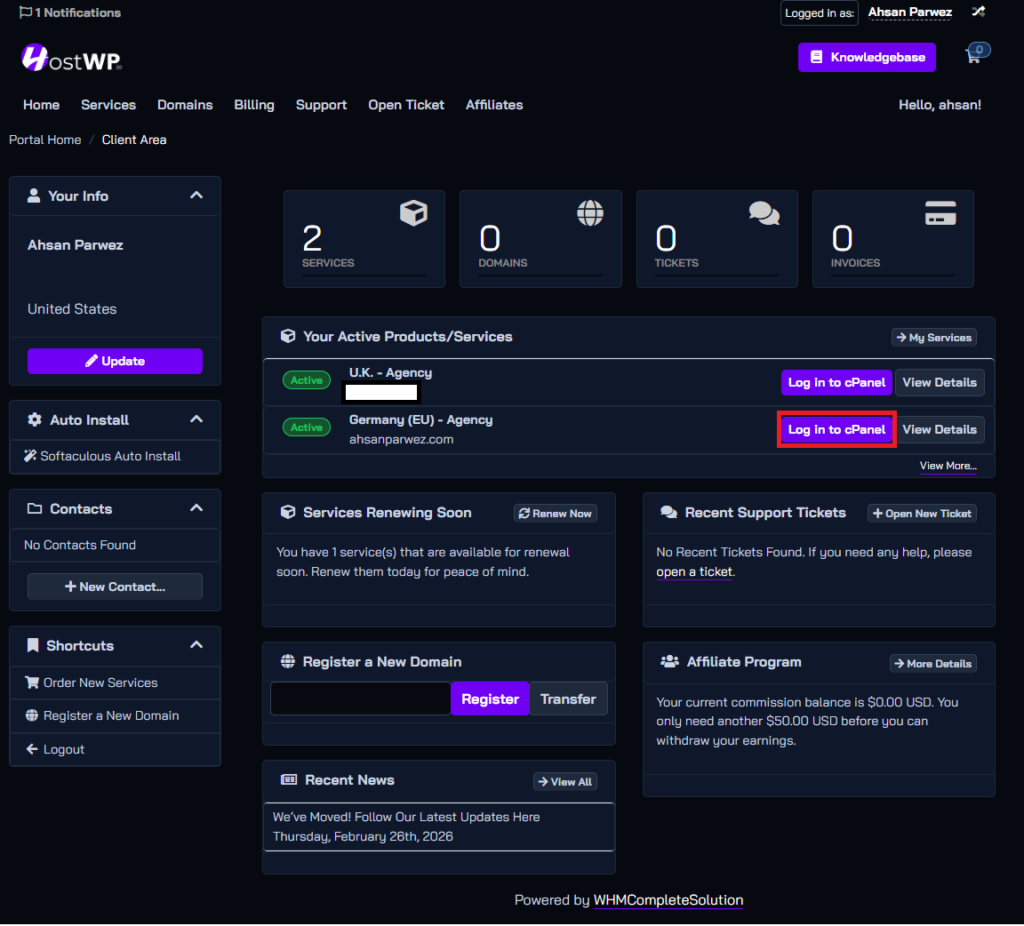
1. Log in to your HostWP dashboard
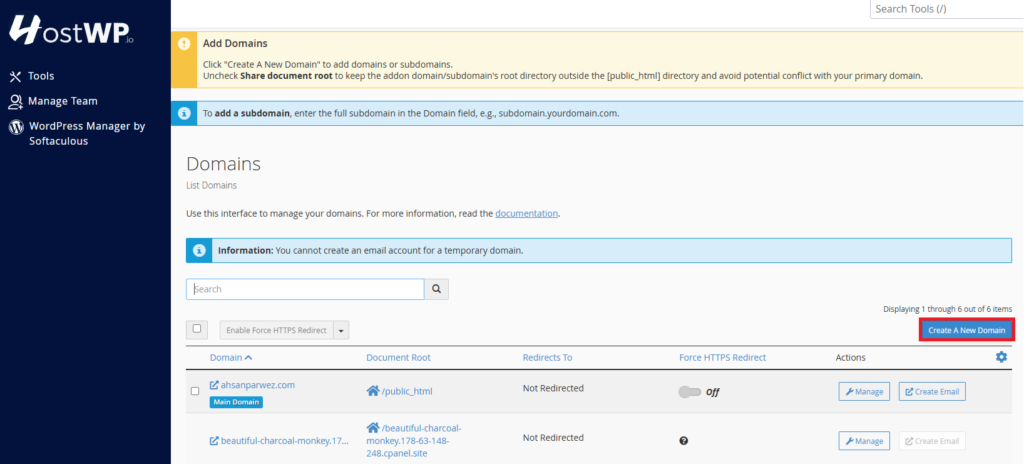
2. Open cPanel & navigate to the Domains section
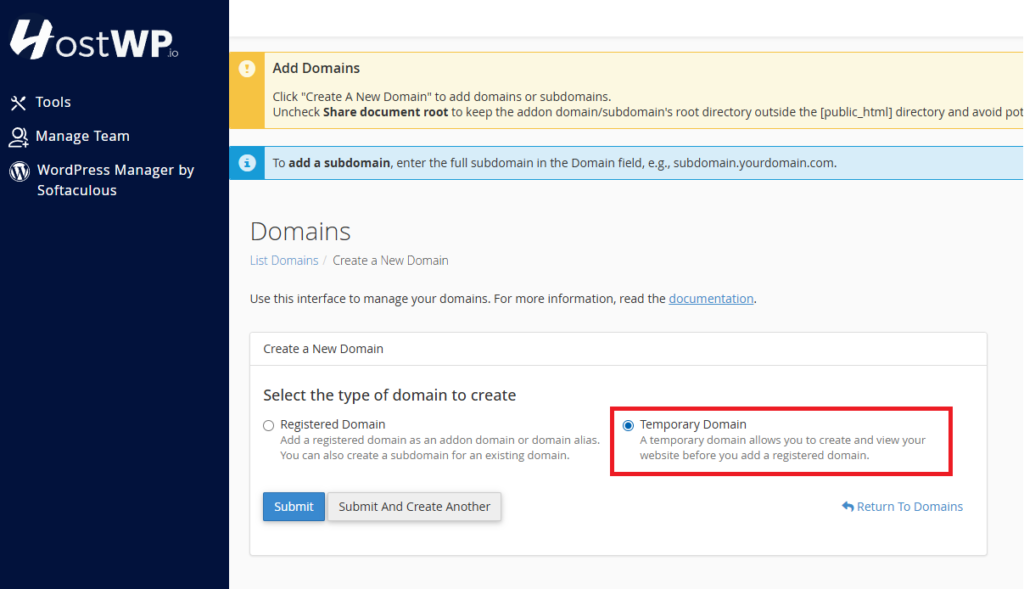
3. Select the option to create a temporary domain
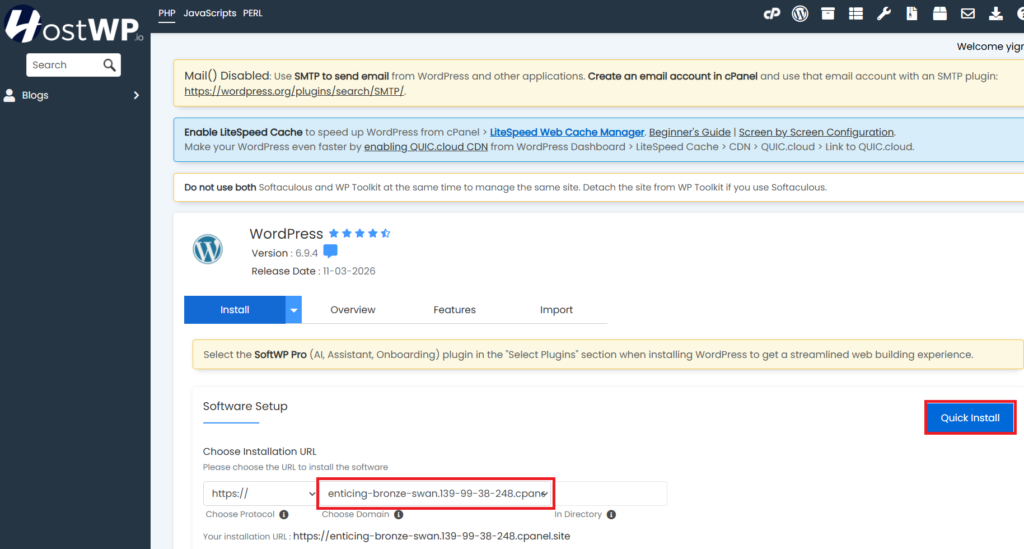
4. Install WordPress on the temporary domain via WordPress Manager on HostWP, and that’s it, you will have a fully functional WordPress site.
Built for WordPress Development Workflows
Temporary domains are fully integrated with the HostWP platform.
That means your temporary site still gets access to the same hosting stack as your live websites.
You can use:
- LiteSpeed Enterprise
- LiteSpeed Cache
- Redis Object Cache
- Free SSL
- WordPress Manager
- Free Pro plugins available to HostWP customers
This allows you to test websites in a real production-like environment.
Not a limited sandbox. Not a stripped-down demo server.
A proper WordPress hosting environment.
Move to a Real Domain Anytime
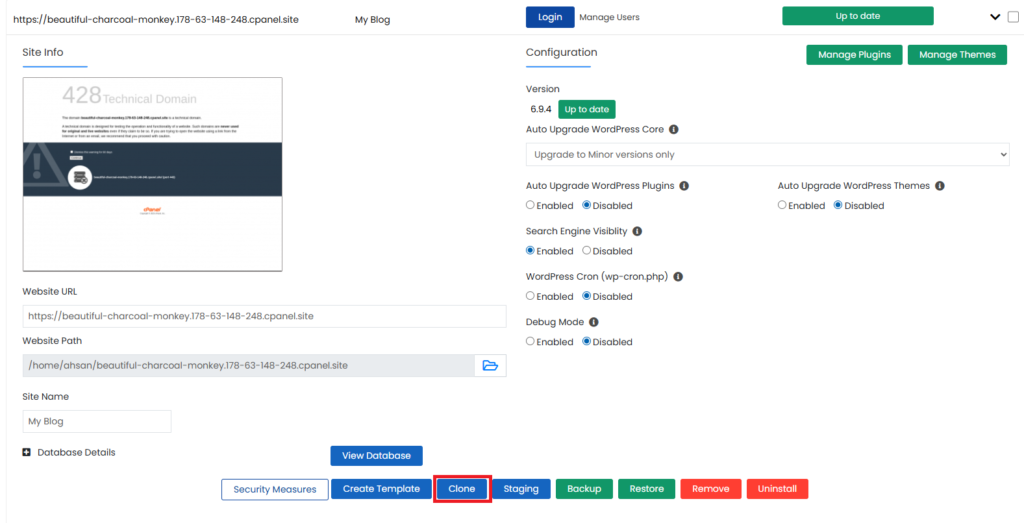
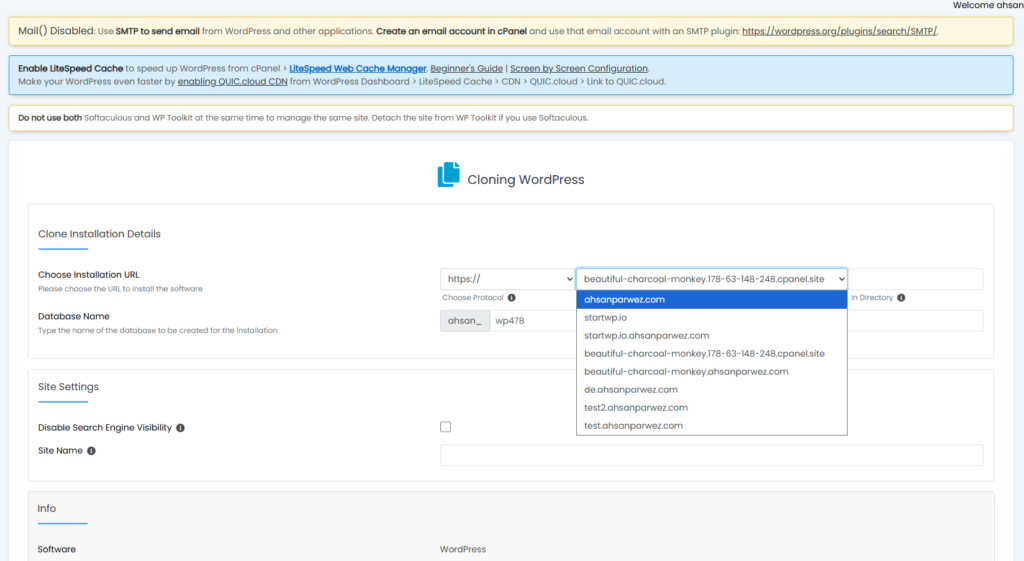
Once your project is ready on this temporary domain, you can easily clone this site to a live site using our WordPress Manager. The cloning operation completes within a couple of minutes, and you can easily go live.
Select the domain to clone the site to.
Why This Feature Matters for Agencies and Developers
If you’re building multiple websites, temporary domains remove a major bottleneck.
You no longer need to:
- Buy domains upfront
- Manage unused domain inventory
- Delay development due to setup steps
This leads to:
- Faster project delivery
- Lower upfront costs
- More efficient workflows
Temporary domains may seem like a small feature on paper, but in practice, they remove one of the most common friction points in WordPress development workflows.
Not every project starts with a ready-to-use domain, and not every user wants to immediately modify DNS records just to test a hosting platform or begin development.
With this feature, you can start building instantly, create proper staging environments, test migrations, and move faster overall.
At HostWP.io, we are continuously improving the platform based on how WordPress professionals actually work. Temporary domains are another step toward making WordPress hosting more practical for developers, freelancers, agencies, and business owners.
This feature is now available for all HostWP.io customers.