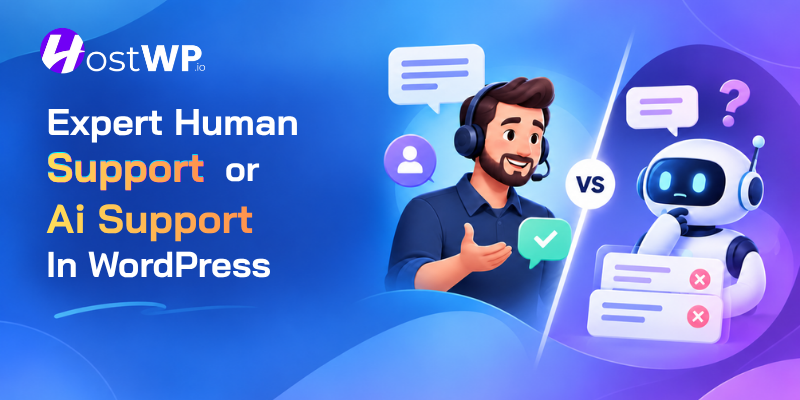




Many companies in the tech and non-tech worlds are moving toward adding an AI chatbot to tier 1 and even tier 2 support. Most of the time, it leads to more delays, incorrect AI answers, and being unable to reach a real human, causing customers to lose trust in the company.
When we have an issue or a critical error on the site, we need to talk to a real human immediately and receive first-hand support from experts, not an automated system.
At HostWP.io, our promise to all our customers is that we will always provide expert-level support across all tiers. Don’t get me wrong, AI is a great tool and works even better when used by an expert with complete server- and website-level access.
Our WordPress experts and support staff do have their own AI assistants powered by Claude, DeepSeek, and ChatGPT, but we do not want to expose our customers to a soulless chatbot that wouldn’t try to understand the issue first.
That being said, if you are a tech-savvy site owner who wants to leverage AI to manage your own WordPress dashboard, we fully support that innovation. In fact, we encourage it. If you want to explore how to safely integrate AI into your workflow, check out our detailed guide to managing WordPress with Agentic AI in the HostWP.io control panel.
What is the difference between human and AI support?
Human support means you talk to a support person who can ask questions, show empathy, understand your situation, make a judgment, and explain the next step. AI support means software generates answers or helps carry out support tasks based on the information it receives.
There is also AI-assisted human support. In this model, AI helps a support expert find or organize information, but the expert verifies the results and speaks with the customer; that’s what we do at HostWP.io. For many WordPress issues, this can be more helpful than asking a site owner to troubleshoot alone with a chatbot.
Why WordPress problems need context
A WordPress site is made up of several parts that work together: WordPress itself, themes, plugins, PHP, databases, caching, DNS, and hosting. When something goes wrong, the error message may not say which part caused it.
Take a slow shop page. The cause might be a large image, a plugin, a database query, or a server setting. A generic tip could send the owner off to change the wrong thing. Before suggesting a fix, support needs to know what changed, which pages are affected, and whether customers can still place orders.
A useful support conversation may start with questions like these:
•What happened, and when did you first notice it?
•Did the problem start after a plugin, theme, or WordPress update?
•Does it happen on every page or only one?
•Can customers still use the form, checkout, or booking system?
•Have you already tried a fix?
These questions may seem simple, but they can prevent wasted time and risky changes.
WordPress.com’s support best practices recommend verifying facts, understanding the customer’s goal, and providing a clear answer. The guide also says that customers want to connect with a human being.
Where AI can help WordPress experts
AI can be useful when it helps an expert complete the early investigative work more quickly. Depending on the tools and task, it may help review information from a site audit, organize a list of possible issues, or summarize a technical finding in clearer language.
For example, a customer may report that a page changed after an update. An expert can inspect the site and its recent changes. AI tools may help speed up that audit. The expert still needs to check the findings against the site’s actual setup, because plugins, themes, settings, and site history differ.
AI may also help turn technical notes into plain English. A store owner should not need to understand every server term to know what happened. The support expert can use AI to help draft an explanation, then ensure the final message is accurate and easy to follow.
AI is useful for support tasks like
•Sorting site-audit notes into a clear checklist.
•Summarizing an error message for a first review.
•Helping an expert spot areas that may need closer inspection.
•Drafting a plain-language explanation for the customer.
These are ways to assist an expert, not proof that a suggested change will work. The expert must check the output before acting on it.
Where human support still matters
Some WordPress support decisions are not just about finding a possible answer. Someone needs to decide whether a fix is safe for this particular site and explain the risks to its owner.
A human expert can ask another question when the first message is unclear. They can notice that a proposed fix could affect orders or customer accounts. They can explain what they plan to change and what to do if it does not work. If the problem is with a third-party plugin, the plugin developer can help the customer understand who should handle it next.
WordPress security is also a shared responsibility. The WordPress security guide explains that a host is responsible for its hosting environment, while site owners also need to look after the applications they install. Clear support helps customers understand where an issue may lie, rather than promising that one team controls every part of WordPress.
| WordPress support task | How AI may help | Why a human should stay involved |
|---|---|---|
| First review of a site issue | Organize the information or flag items to inspect | Confirm the customer’s goal and check the site context |
| Plugin or theme conflict | Help review recent changes and possible causes | Test carefully because every site is different |
| Slow page or site | Summarize audit observations | Choose fixes that make sense for the site and its visitors |
| Security concern | Help organize details for an investigation | Make risk decisions and guide safe recovery |
| Explaining a fix | Help draft clear instructions | Check the advice and answer follow-up questions |
What can WordPress hosting support help with?
A hosting team can usually investigate the server and hosting services it manages. Depending on the provider, that may include uptime, speed, backups, SSL, caching, or migration. HostWP.io’s hosting features describe tools such as backups, staging, monitoring, and WordPress support.
A plugin or theme may be made by another company, so the host may not be able to change its code. The host can still help determine whether the issue appears to be related to hosting or the WordPress application. Ask what support includes before expecting a custom development fix.
A practical example: a WooCommerce checkout stops working
Imagine a shop owner updates a plugin and customers can no longer complete checkout. The owner contacts support by live chat. A human expert asks when the issue began, which checkout step fails, and whether anything else changed.
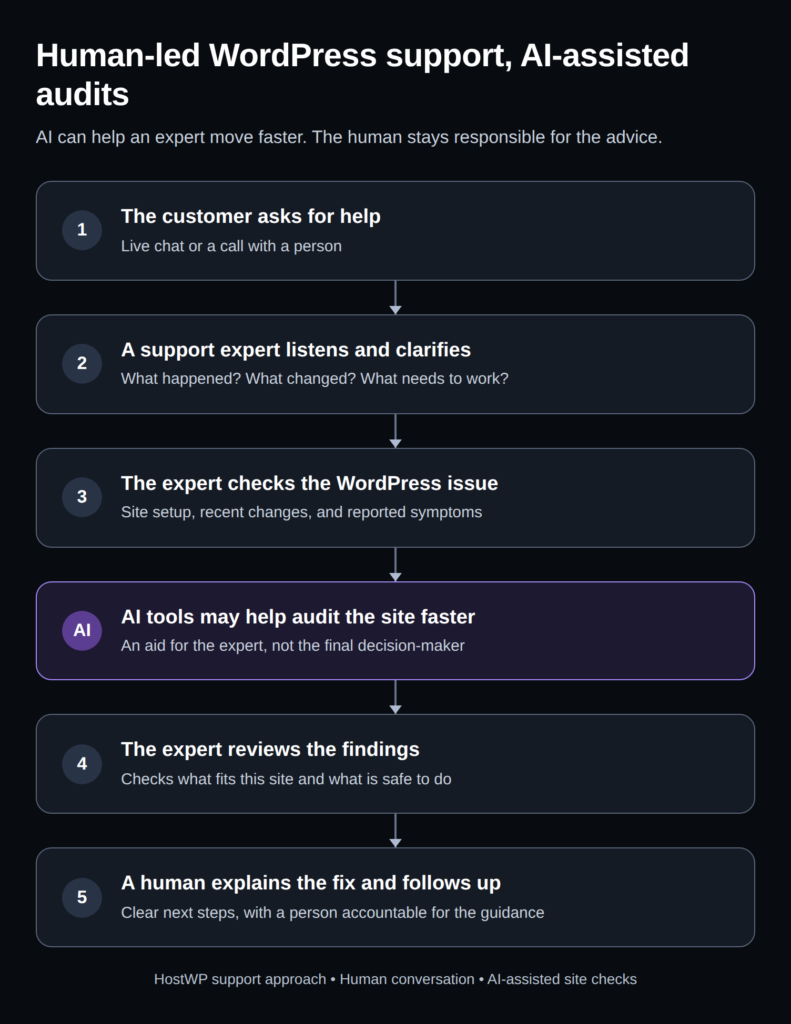
The expert checks the site and may use AI tools to speed up an audit or sort possible causes. The AI output is not treated as the answer. The expert verifies the findings, determines whether the issue appears to be hosting-related or plugin-related, and explains a safe next step. If the plugin itself needs a code change, the owner may also need help from its developer.
This is an illustrative example, not a report of a specific HostWP.io customer case. It shows how AI can improve speed while a person remains responsible for the advice.
HostWP.io’s approach: human support, AI-assisted site audits
HostWP.io’s promise is straightforward: customers get human support through live chat and calls, not an AI chatbot. Behind the scenes, HostWP.io WordPress experts may use AI tools to audit customer sites more quickly. AI helps the expert work; it does not replace the person answering the customer.
That leaves the support expert responsible for understanding the problem, reviewing the audit findings, and explaining a sensible next step. The customer can ask questions and get help from a person rather than being left to interpret an automated answer.
HostWP.io’s hosting features page describes 24/7 help from WordPress and hosting specialists through live chat, tickets, and email. It describes scheduled calls with senior engineers for urgent issues; it does not promise that every call is answered instantly. People handle customer support, while AI can help experts check sites faster.
If you are comparing providers, see HostWP.io’s WordPress hosting plans or visit HostWP.io support and contact to learn how to reach the team.
What good WordPress support should include
Customers should leave a support conversation knowing what was checked and what happens next:
•Understand the issue: Confirm the problem and the customer’s goal.
•Check safely: Explain what will be reviewed and whether staging or a backup is needed.
•Close the loop: Share the finding, next step, and who can help if the issue is outside the host’s control.
The WordPress debugging guide recommends using a backup or staging site before debugging changes.
How to use AI safely with WordPress
Do not paste passwords, API keys, payment details, or private customer data into public AI tools. Before applying AI-suggested code or settings, make a backup, test risky changes in staging, and ask a qualified person to review anything that could affect security or sales.
If an expert uses AI tools during an audit, ask what site information is reviewed, whether any information is sent to an AI service, and how it is handled.
HostWP.io describes AI-assisted audits, but its public pages do not explain those data-handling details. Customers with questions should ask the team directly rather than assume. Never share passwords or secrets in ordinary chat; use the provider’s secure access process.
The future is not human versus AI
AI can answer many common questions. The more important question is what happens when the issue is unusual, the site is losing sales, or the first suggestion does not solve the problem.
- Who checks the answer?
- Who explains the risk?
- Who stays with the customer through the next step?
For WordPress owners, the strongest model is often human-led and AI-assisted. AI can help an expert move through an audit faster. A real person can listen, verify the findings, explain the decision, and help the customer move forward. That is the balance HostWP.io aims to provide: human support for customers, with AI tools helping experts work efficiently behind the scenes.
Frequently asked questions
Is WordPress support better from a human or an AI?
For complex or urgent WordPress problems, human support is important because an expert can ask follow-up questions, check the site’s context, and explain a safe fix. AI can help with research or audits, but its suggestions should be checked.
Can AI troubleshoot a WordPress website?
AI can review information and suggest possible causes, but it may not know the full history or setup of a site. Treat its output as a starting point and have a qualified person check changes before applying them to a live website.
Does HostWP.io use AI chatbots for customer support?
No. HostWP.io provides customer support via live chat and phone. HostWP.io experts may use AI tools behind the scenes to audit customer sites more quickly.
Why does WordPress hosting support need technical experts?
WordPress problems can involve the server, WordPress core, a theme, a plugin, or site settings. A technical expert can help identify what to check and explain the next step.
Should I let AI change my live WordPress website?
Do not apply an important change without understanding the risk. Keep a current backup, use staging when available, and ask an expert to review code or settings that could affect your site.
What should I tell my WordPress host when reporting a problem?
Explain what is happening, when it began, and what changed recently. Share the page address and any error message. Do not send passwords in public chat; use the host’s secure access process if site access is needed.