
"FastMigrate" plugin for wordPress
Migrate WordPress Sites Server-to-Server. In Minutes.
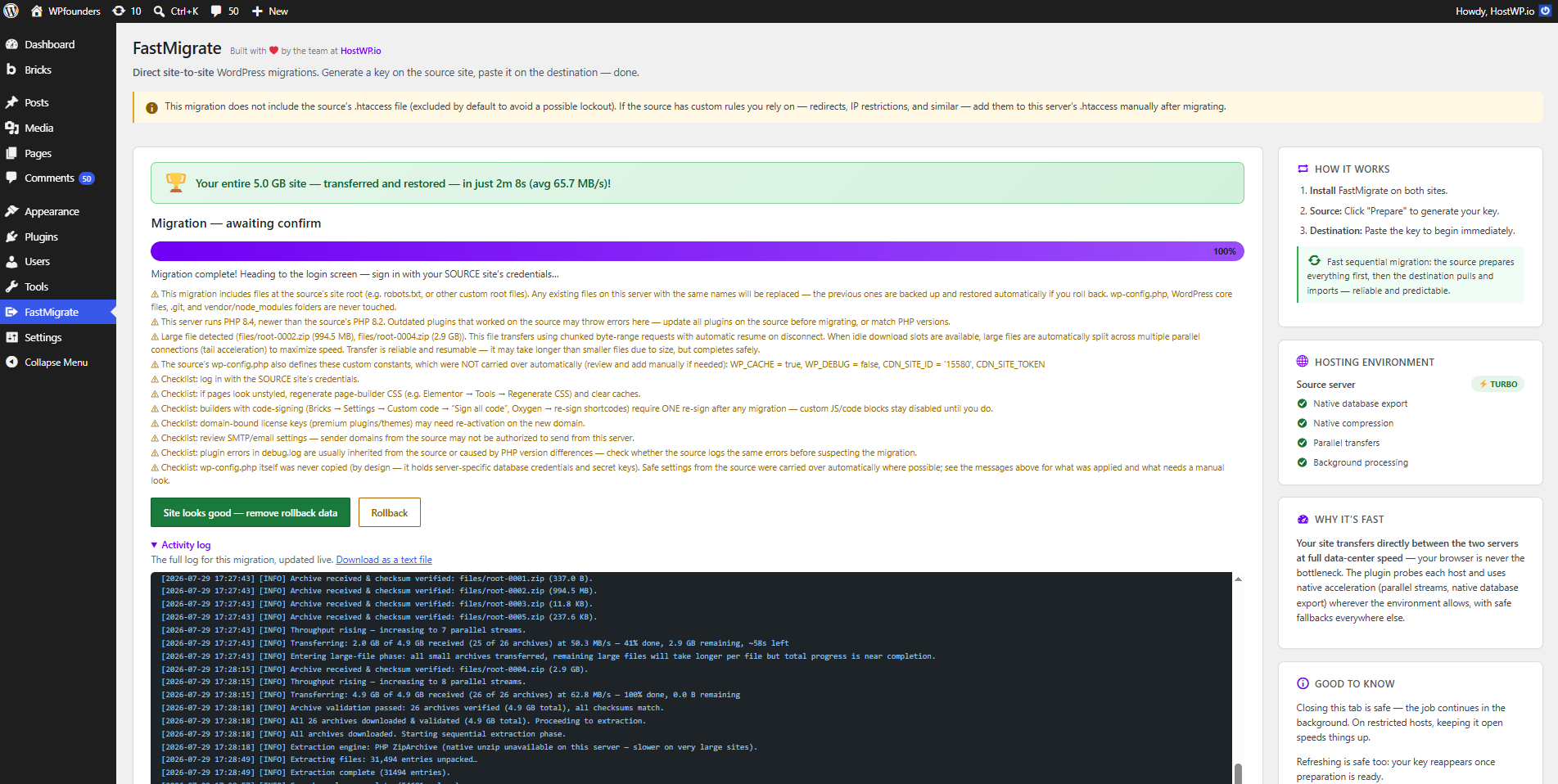
FastMigrate plugin moves an entire WordPress site directly between two servers — no zip exports, no downloads, no manual uploads. Generate a key on the source, paste it on the destination, and both servers do the rest together.
How It Works
Three Steps. No Technical Headaches.
Install On Both Sites
Generate Key on Source
Paste Key on Destination
Everything A Real Migration Needs
Not a stripped-down free tool — built for real sites, real hosts, and real edge cases.
Direct Server-to-Server
Automated Migration
True Full-Site Clone
Automatic URL Rewriting
One-Click Rollback
Pre-Migration Check
HMAC-Signed Transfers
Chunked & Resumable
Leaves No Trace
A Clean, Guided Migration Experience
No confusing settings, no guesswork — just a clear path from source to destination.
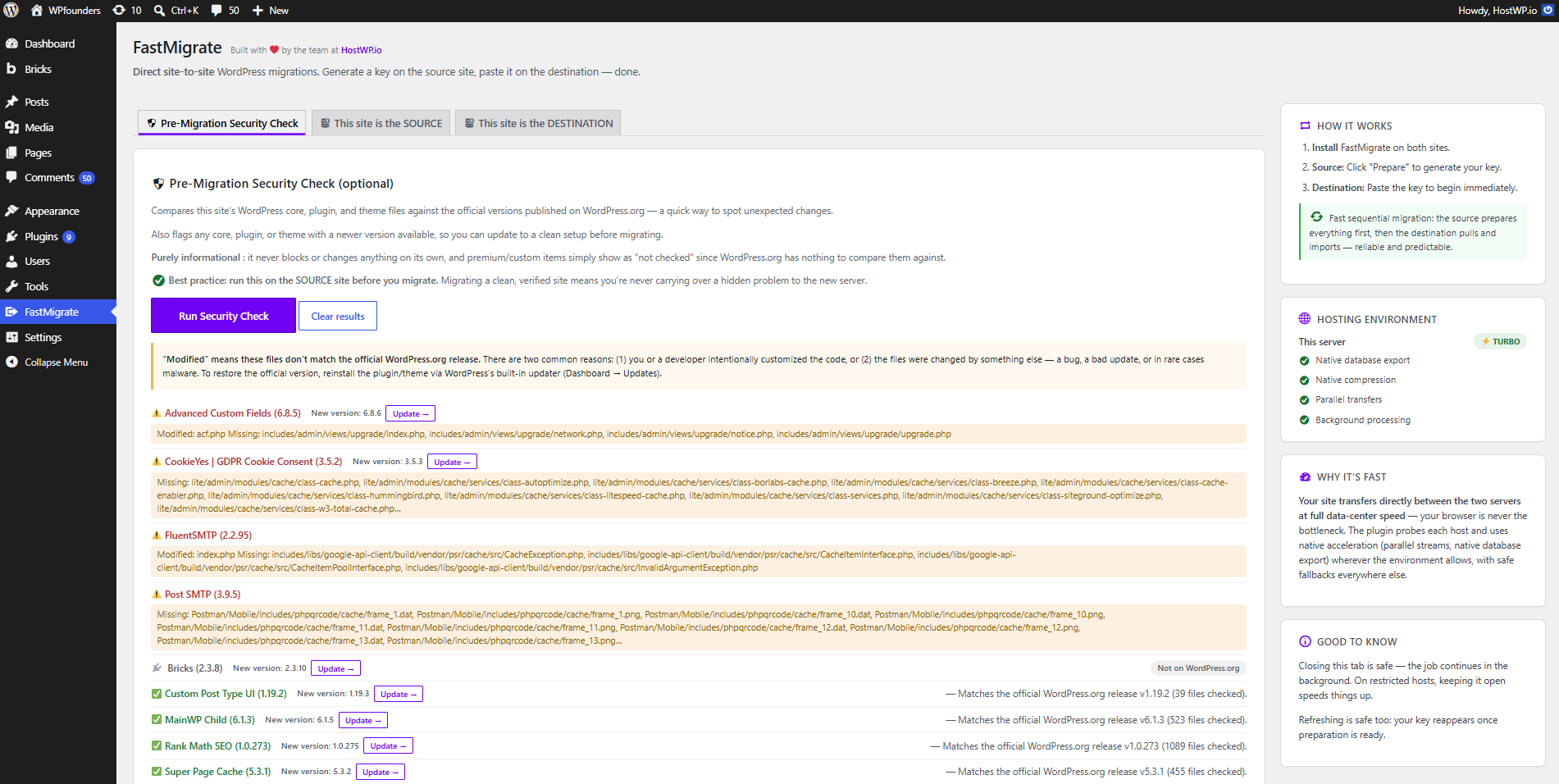
1. Security Check
Compares your WordPress core, plugin, and theme files against official WordPress.org versions before you migrate anything. Purely informational — it never blocks or changes anything on its own.
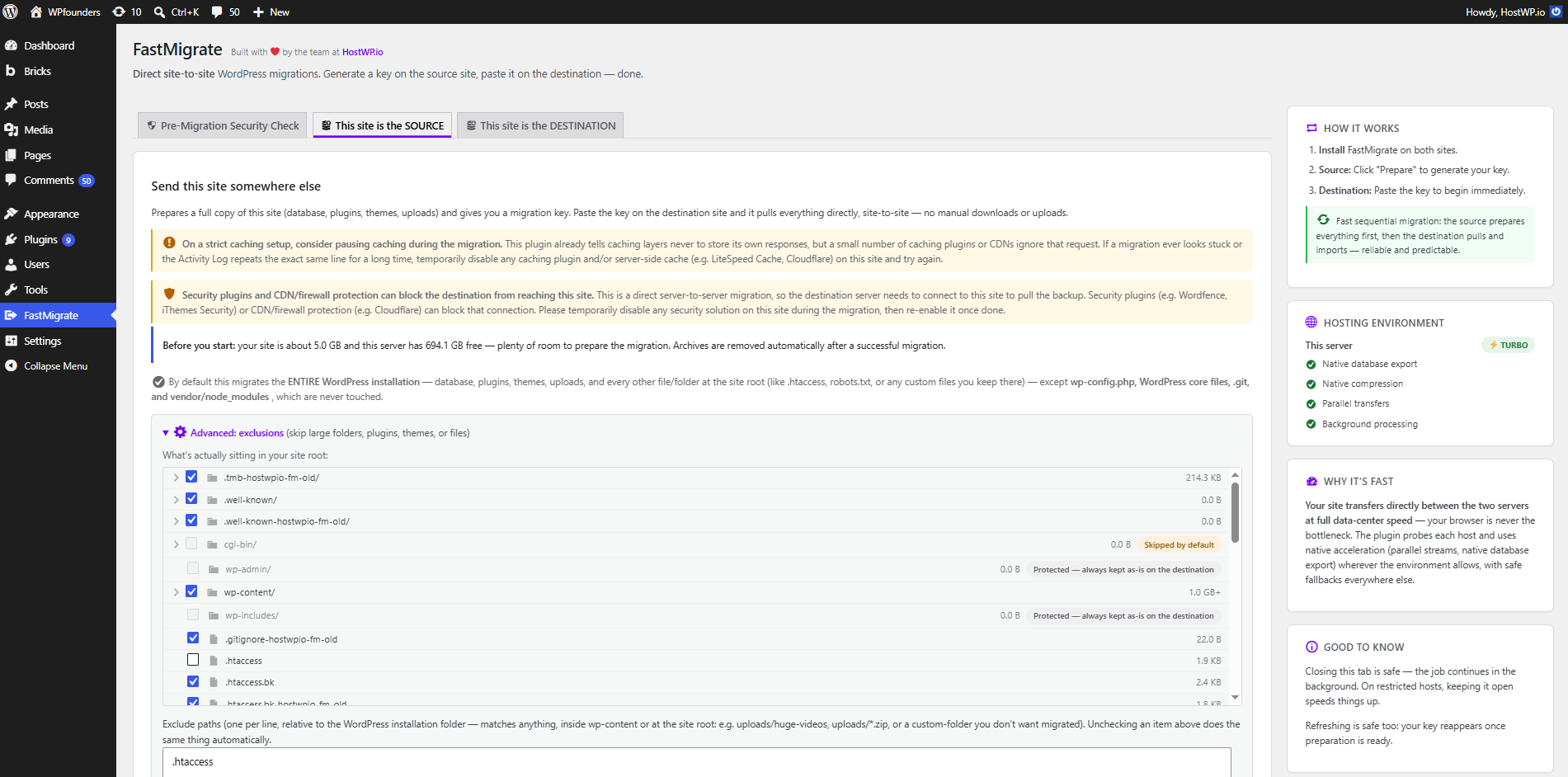
2. The SOURCE Tab
Click "Prepare Migration & Generate Key" to back up your entire site into split, checksummed archives, then get a key to paste on the destination.
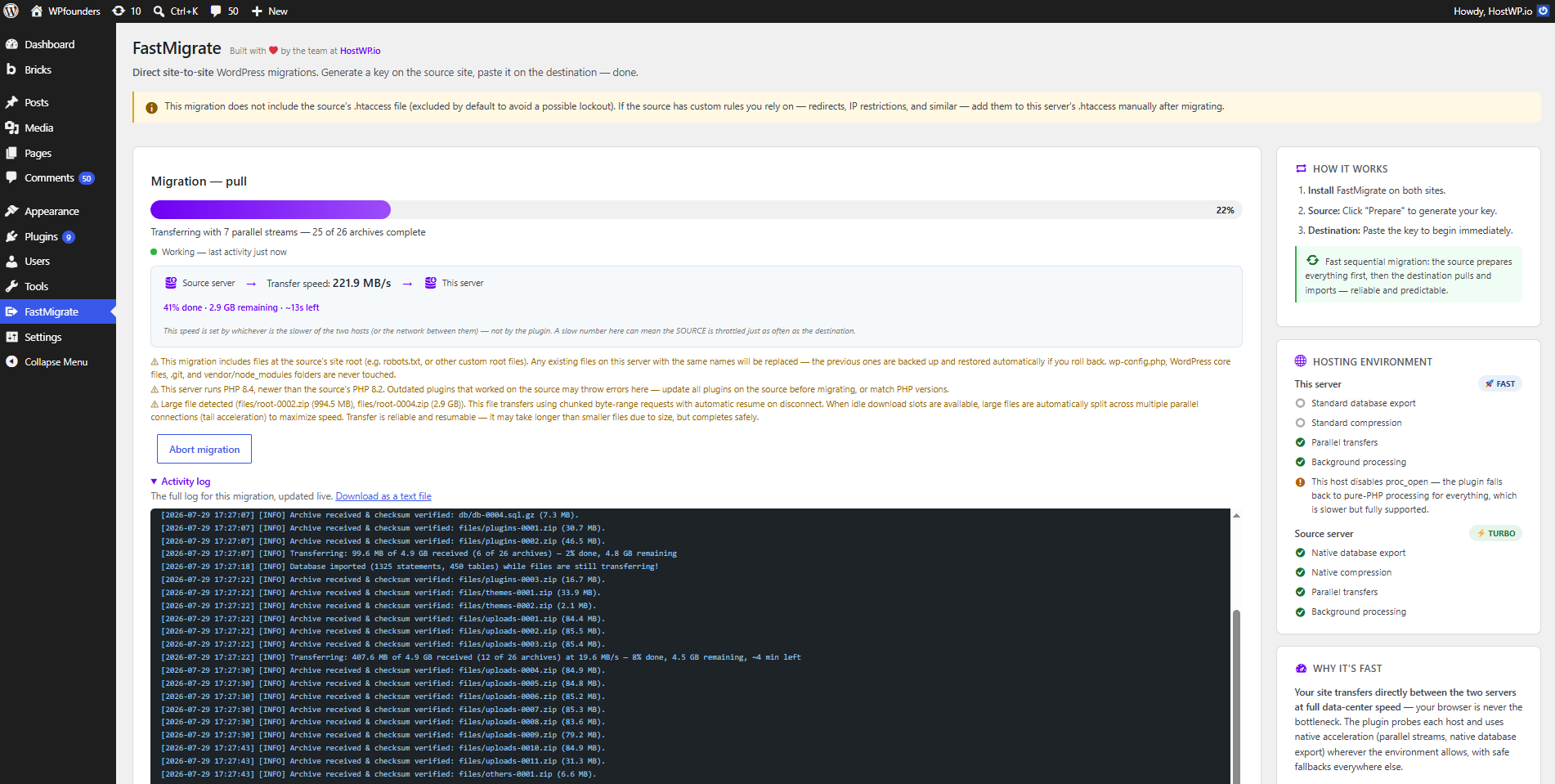
3. The DESTINATION Tab
Paste the migration key from the source site and click "Start Migration" to pull everything directly, server-to-server.
Made By People Who Migrate Sites For A Living
FastMigrate is built and maintained by the same team behind HostWP.io's LiteSpeed WordPress hosting — we built the tool we wished existed.
Frequently Asked Questions
How long does a WordPress migration take?
A typical 5 GB site migrates in under 3 minutes on standard hosts. Seamless coordination between the source and destination slashes transfer time, making it the fastest WordPress migration plugin available.
Will my destination logins keep working?
No — it’s a 100% clone, including users. After migration, log in with the source site’s credentials.
What if the migration fails halfway through?
Before the final swap, your live site is never modified — aborting just deletes temporary data. After the swap, your previous site is kept until you confirm, so you can roll back with one click.
Does it migrate files outside wp-content, like .htaccess or robots.txt?
Yes, with one deliberate exception. By default FastMigrate migrates the entire site root — robots.txt, sitemap.xml, favicon files, and any other custom file you keep next to wp-content. .htaccess is excluded by default, since a source’s custom rules are a common cause of a locked-out destination. You can include it manually if you need to.
How big a site can it handle?
The pipeline is fully chunked and resumable, and tested with multi-GB sites. You’ll need roughly 2× the site size in free disk space on the destination during migration.
Is FastMigrate really free?
Yes. FastMigrate is a free WordPress migration plugin built and maintained by HostWP.io — no premium upsell version, no feature paywall.
Expert WordPress Support Engineers Available 24/7
90 sec
Average
Response Time
98 %
Customer
Rating
24/7
Expert
Support