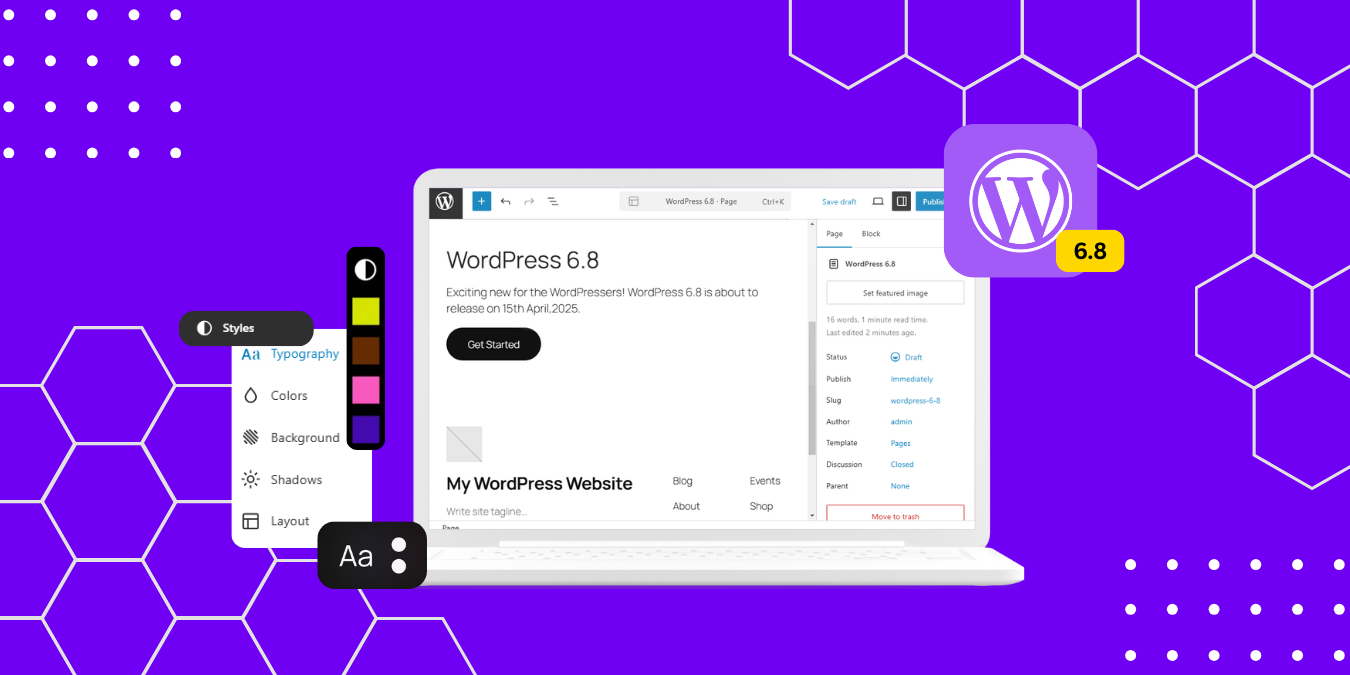
WordPress 6.7 was a significant milestone for the platform, and now we’re excited to tell you about the latest release of WordPress 6.8, released on April 16th, 2025.
While previous releases often focused on introducing major new features, WordPress 6.8 is being positioned as a “polish release,” concentrating on refining existing functionality and addressing bugs to create a more seamless and effective user experience.
With over 370 enhancements and 520 bug fixes for the editor, along with more than 230 tickets for WordPress 6.8 Core, this update brings a new level of refinement to your WordPress experience. The Beta version is already available for testing, giving you an early opportunity to explore these improvements before the official launch.
Keep reading to discover the exciting refinements coming in WordPress 6.8 and how you can get involved in testing this release before it goes live.
How to install and test WordPress 6.8?
Here are four methods you can use to test it out:
- Plugin: Install the WordPress Beta Tester plugin on a WordPress install. Once installed, activate the plugin (Select the “Bleeding Edge” channel and “Beta/RC Only” stream).
- Direct Download: Download the Beta 1 version (zip) and install it on a web hosting server.
- Command Line: Use this WP-CLI command: wp core update –version=6.8-beta1
- WordPress Playground: If you don’t want to install the Beta version, you can still test it from the 6.8 Beta 1 WordPress Playground instance directly in your browser – no setup required!
Note: Please do not install, run, or test this version of WordPress on production, live websites or mission-critical websites. You risk breaking your website if you do.
Best Features of WordPress 6.8
1. Style Book for Classic Themes
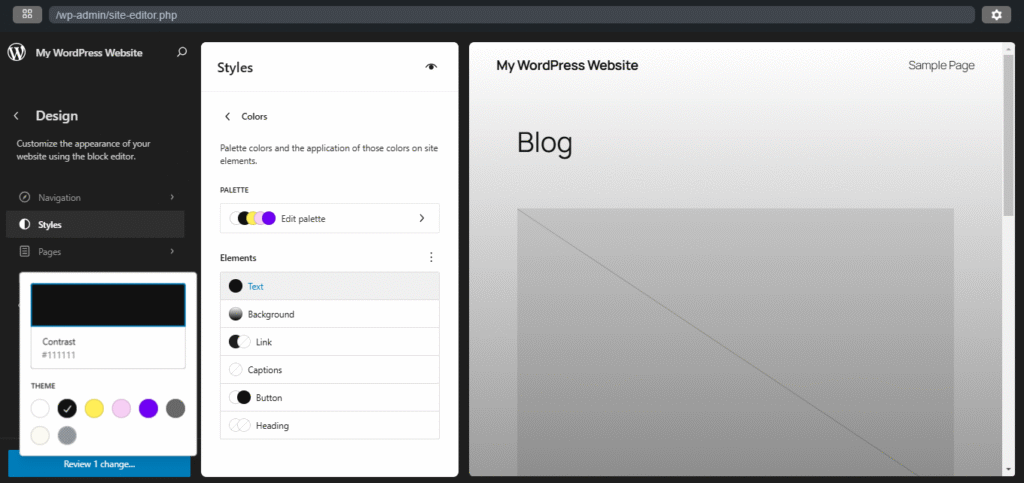
One of the most exciting improvements in WordPress 6.8 is the expansion of the Style Book feature to classic themes. Previously limited to block themes, the Style Book now works with classic themes that have editor-styles or a theme.json file.
The Style Book has been redesigned with a structured layout, making it easier to preview site colors, typography, and block styles. You can now find all style groups and block examples clearly labeled, allowing you to understand and preview your theme’s existing design settings more intuitively.
In WordPress 6.8, the Style Book is accessible under Appearance > Design, featuring clearer labels and a more intuitive interface. Additionally, site patterns have been moved to Appearance > Design > Patterns for classic themes that support the Style Book, consolidating all design-related functionality from the Site Editor in one place.
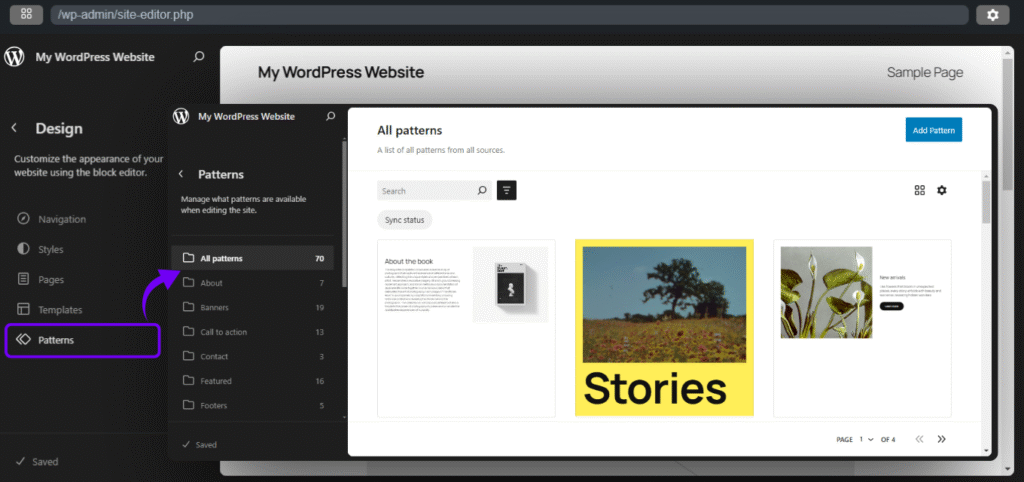
This enhancement brings modern design tools to users of classic themes, bridging the gap between traditional and contemporary WordPress experiences.
2. Editor Improvements
WordPress 6.8 brings numerous refinements to the Gutenberg editor experience, making it easier to use and powerful. You’ll now have easier ways to view and manage your options in Data Views.
The Query Loop block receives welcome enhancements with the ability to ignore sticky posts, providing more flexibility in how you display your content. Other improvements include pagination, block spacing enhancements, filtering by year, and fetching results by adding offset.
The data views have also been improved, with reduced action button sizes in the Grid layout and enhanced table layout with density options. These refinements collectively enhance the content creation experience, demonstrating WordPress commitment to continuously evolving its editing interface.
3. Support for Speculation Browser API
WordPress 6.8 introduces native support for speculative loading, leveraging the Speculation Rules API to improve site performance with near-instant page loads significantly. This feature works by prefetching or prerendering URLs based on user interactions, such as hovering over links, which reduces load times for subsequent pages.
By default, WordPress 6.8 applies a conservative prefetching strategy, carefully balancing performance gains with resource efficiency. This means your visitors will experience faster navigation while minimizing unnecessary data usage.
Developers can customize speculative loading behavior using the new wp_speculation_rules_configuration filter, providing flexibility for different site requirements. This feature is currently supported in Chrome 108+ and Edge 108+, with more browsers evaluating implementation.
This integration builds on the functionality of the Performance Team’s Speculative Loading plugin and represents a significant step forward in WordPress’s performance optimization efforts.
4. Zoom Out Mode Enhancements
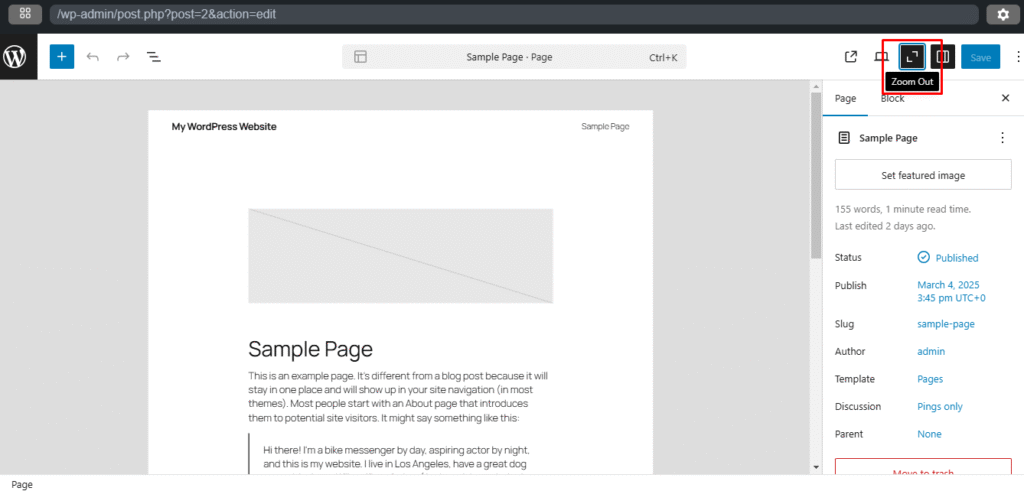
Navigating and designing complex pages becomes easier in WordPress 6.8 with enhanced “zoom-out” functionality. This feature, introduced in previous versions, now offers more intuitive controls and capabilities.
Key improvements include:
- UX enhancements (using “Zoom level” terminology rather than “Zoom Out”)
- Keyboard shortcuts in the editor for quicker access
- Shifted default background to the iframe component
- Windows-specific keyboard shortcuts
The zoom-out mode allows you to implement various designs and section styles directly using the toolbar and inspect them in the context of the rest of the page. This simplifies the production process and gives you a broader perspective of your content layout, making it easier to manage and organize complex pages.
5. Major Security Boost
Security gets a significant upgrade in WordPress 6.8 with the introduction of bcrypt for password hashing. This change substantially hardens WordPress against potential security threats, providing better protection for user accounts and sensitive data.
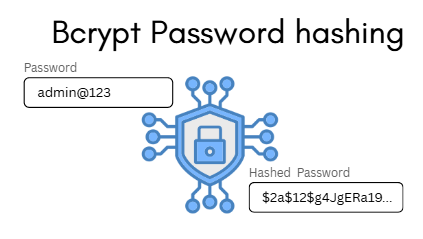
The new hashing algorithm will be used to store security keys and application passwords, making your WordPress site more resilient against unauthorized access. The best part is that these enhancements work behind the scenes, meaning you won’t have to change anything in your daily workflow to benefit from the improved security.
6. Accessibility Improvements
WordPress 6.8 brings several accessibility enhancements to make the platform more inclusive for all users. One notable improvement is the addition of prefixes such as “Warning,” “Error,” “Success,” and “Info” to all WordPress admin notices.

This seemingly small change has a significant impact, particularly for users relying on screen readers or those with color vision deficiencies. By including text-based prefixes, the notices can communicate their type more clearly, regardless of visual impairments.
Another important accessibility upgrade is the introduction of a standardized and accessible tooltip system. This system uses semantic HTML and ARIA attributes to ensure tooltips are readable by assistive technologies, improving usability for everyone, particularly users with disabilities.
These improvements align with WordPress’s commitment to inclusivity and provide a better user experience for all members of the community.
7. Performance Enhancements
WordPress 6.8 includes numerous performance optimizations under the hood that contribute to faster load times and more efficient resource usage. Key improvements include:
- Optimized WP_Query cache key generation to improve caching efficiency and reduce database load
- Lazy loading user capabilities in the wp_user object
- Caching duplicate calls to WP_Theme_JSON::sanitize
- Lazy loading post meta
These technical improvements may not be immediately visible but will make a noticeable difference in how your site performs, especially for high-traffic websites. The enhancements reduce server load, improve response times, and create a smoother experience for both visitors and administrators.
8. API Launches and Iterations
WordPress 6.8 continues to refine and expand its API offerings, building on the foundations laid in previous versions:
- Interactivity API: After focusing on stability and clarity in WordPress 6.7, the 6.8 release brings innovations like full-page client-side navigation, enhanced client-side navigation, and improved region-based client-side navigation.
- Block Hooks API: This API allows users to dynamically add blocks to block themes, and WordPress 6.8 focuses on improving its capabilities.
- HTML API: New features include safe composable HTML templating and inner and outer HTML support.
These API improvements provide developers with more powerful tools to create dynamic, interactive websites while maintaining performance and security.
How you can contribute to WordPress
WordPress thrives thanks to its dedicated community of contributors. Here are several ways you can get involved and help shape the future of this popular platform:
- Become a Beta Tester: Try out the latest features and help identify any bugs or issues. You can do this by installing the WordPress Beta Tester plugin or downloading the beta version directly.
- Report Issues: If you find something that doesn’t work as expected, please report it on the WordPress support forums (specifically in the Alpha/Beta area) or directly to WordPress Trac if you’re comfortable submitting a reproducible bug report.
- Hunt for Vulnerabilities: Help keep WordPress secure by participating in the vulnerability bounty program, you can follow the guidelines on the HackerOne page and in the security white paper. Remember that the reward doubles during the Beta and Release Candidate period for WordPress 6.8, from March 4th to April 15th, 2025.
- Translate WordPress: If you’re fluent in a language other than English, consider helping to translate WordPress, making it accessible to a wider audience.
- Develop Themes and Plugins: As a developer, you can create themes and plugins to extend WordPress’s functionality.
By joining the WordPress community, you’re not just contributing to a software project—you’re helping to build a better platform for everyone. The scheduled final release date for WordPress 6.8 is April 15th, 2025, and your help testing Beta and RC versions over the next few weeks is vital to ensuring the final release is stable, powerful, and intuitive.
WordPress 6.8 may not introduce dramatic new features, but its refinements bring valuable improvements in speed, security, and accessibility. These optimizations create a smoother, more efficient experience for website owners, bloggers, and developers alike.