



Moving a WordPress site usually involves watching a progress bar freeze at 99% while you silently pray your PHP memory limit doesn’t throw a fatal error. Most migration plugins still use a painfully outdated method: they compress your entire site into a massive zip file, push it through your browser’s upload limits, and hope the destination server doesn’t time out during extraction.
It is a fragile process that completely falls apart once your site crosses the 2GB mark.
We got tired of dealing with corrupted databases, missing media files, and broken serialised data after migrations, so we put the most popular WordPress migration plugins through a strict stress test.
We moved heavy WooCommerce stores, bloated membership sites, and massive multisite networks to see which plugins actually use modern transfer methods and which ones just repackaged the same old code. Here are the 7 plugins that actually get the job done.
Quick Comparison: The 7 Migration Plugins at a Glance
Before we look at the detailed reviews, here is a quick snapshot of how these seven stack up against each other in terms of limits, speed, and pricing.
| Plugin | Best For | Max Site Size | Speed | Price |
| FastMigrate | Large sites & agencies | Unlimited | Very Fast (~4 min for 10GB) | Free |
| UpdraftPlus | Backup-first migrations | No hard limit | Slow (cloud round-trip) | Free / $70/yr |
| Duplicator | Manual control & custom setups | 2GB free/unlimited Pro | Moderate (manual FTP) | Free / $99/yr |
| All-in-One WP Migration | Quick small-site moves | 512MB free | Moderate | Free / $69 one-time |
| WPvivid | Staging + migration combo | 2GB free/unlimited Pro | Moderate | Free / $49/yr |
| BlogVault | Managed migrations & backups | No hard limit | Fast | $99/yr |
| Migrate Guru | Free large-site migrations | Up to 200GB | Fast | Free |
1. FastMigrate — The Fastest Migration Tool & Always Free
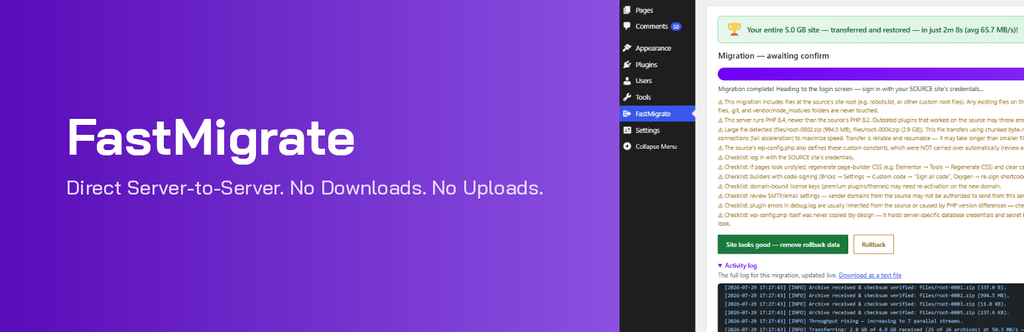
If you migrate WordPress sites for a living, FastMigrate is the tool you need in your arsenal. Unlike most migration plugins that force your site’s files to be uploaded to a third-party cloud before being downloaded to the new server, FastMigrate uses a direct server-to-server transfer.
That single architectural difference is why it destroys everything else on this list in live speed tests.
FastMigrate is built and maintained by @mustaasamsaleem, the founder of HostWP.io. He engineered it specifically to solve the migration bottlenecks his team kept seeing in the HostWP.io support queue. Instead of bolting migration onto an existing, bloated backup plugin, he built FastMigrate from scratch with one strict objective: move heavy sites as fast as the server hardware allows without dropping a single database row.
What makes FastMigrate genuinely different
- Direct server-to-server transfers: Files never pass through your local browser or a middle-man cloud server. This completely eliminates the #1 cause of failed migrations: PHP execution timeouts.
- Moves 7–10GB sites in 3 to 5 minutes: On our test environment, a 9.2GB WooCommerce store with over 180,000 products and a massive postmeta table migrated in under 4 minutes. That is, in our test, it was significantly faster than the other migration tools we evaluated.
- Zero size limits on the free plan: While other plugins gate large-site support behind a paywall, FastMigrate is completely free and has no artificial file-size caps.
- Automated database search-and-replace: It automatically rewrites old URLs in the database during the transfer, ensuring your internal links and media attachments don’t break on the new domain.
- Host-agnostic: You do not need to be a HostWP customer to use it. It runs perfectly on any standard WordPress install.
Where FastMigrate really shines
The ideal use case is any site larger than 2GB. Developers managing multiple client migrations per month report cutting their total migration time by over 70% after switching to this tool. You can check out the full technical breakdown and download the plugin directly from the FastMigrate plugin landing page
Best for: Developers, agencies, and anyone migrating a heavy WooCommerce or membership site who values raw speed and zero-downtime transfers.
2. UpdraftPlus — The Backup Plugin That Happens to Migrate Sites

With over 3 million active installs, UpdraftPlus is the most installed backup plugin in the WordPress repository. Its Migrator add-on is a solid choice for users who want backups and migration in a single dashboard. The catch is the transfer speed.
UpdraftPlus follows the traditional migration workflow: it creates a backup, uploads it to a remote destination (like Google Drive or Dropbox), and then pulls it down to the new server.
That round trip through the cloud adds significant time. A 6GB site that FastMigrate can move in 4 minutes can take 30 to 45 minutes with UpdraftPlus, depending entirely on your local upload bandwidth.
Why people still use it
- Familiar interface: If you already use UpdraftPlus for daily backups, the migration workflow feels completely natural.
- Reliable on restrictive shared hosting: The chunked upload system handles hosts with strict PHP limits better than older plugins.
- The Migrator add-on costs $70/year and includes a year of premium backups, so it pays for itself if you were going to buy the premium backup version anyway.
Where it falls short
- Noticeably slower than direct-transfer tools on any site over 2GB.
- Migrator is a paid add-on; the free version does not support migration between different domains.
Best for: Existing UpdraftPlus users who want to add migration to a tool they already trust, and who don’t mind waiting longer for the transfer to finish.
3. Duplicator — The Manual Control Option
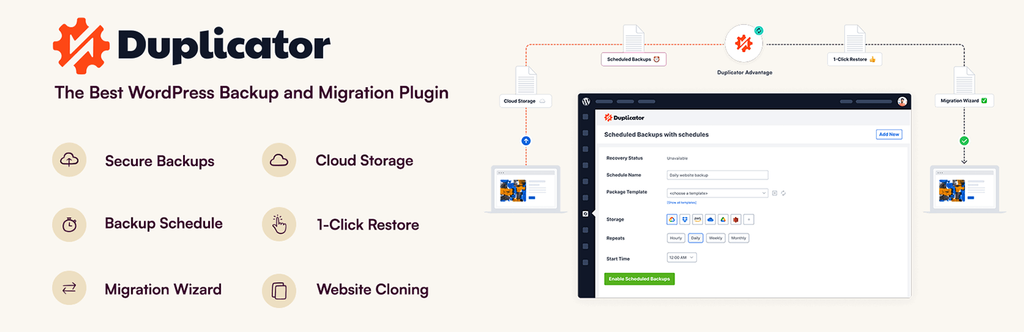
Duplicator has been a staple in the WordPress developer toolkit for over a decade. It packages your entire site into a single installer file plus a zip archive, which you then manually upload to the new server via FTP and run. This manual approach gives developers total control over the environment, but it also means more steps and a steeper learning curve for beginners.
Why developers still rely on it
- Complete control over the process: You choose exactly where the archive goes, how it extracts, and when the database imports.
- Free version supports up to 2GB, which covers the vast majority of standard brochure sites and small blogs.
- The Pro version unlocks multisite support and cloud storage, starting at $99/year.
- Works as a staging and cloning tool, not just a point-A-to-point-B migration plugin.
Where it falls short
- Requires manual file upload via FTP or cPanel for most migrations.
- The installer.php interface is intimidating for non-technical clients or beginners.
- Free version hits a hard 2GB limit, forcing an upgrade for heavier sites.
Best for: Developers who want granular control over the server environment and don’t mind a few extra manual steps.
4. All-in-One WP Migration — Simple, But Strictly Limited
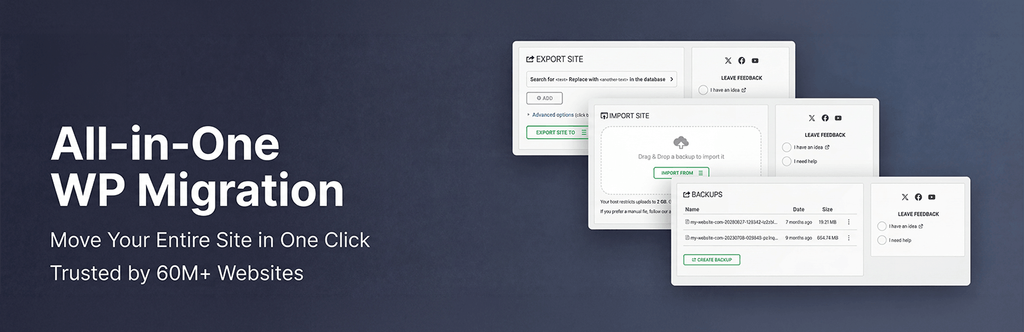
All-in-One WP Migration is usually the first plugin people install because its interface is incredibly simple: click export, download the file, then click import on the new site and upload it. For a 200MB blog moving between two hosts, it works perfectly. The problem is that this simplicity comes with hard, frustrating limits.
The reality of its free version
The free plugin caps imports at 512MB by default. That limit is enforced at the plugin level, meaning that even if your host allows 2GB uploads, the plugin will reject any file larger than 512MB. To bypass this, you have to buy paid extensions:
- Unlimited extension: $69 one-time fee
- Multisite extension: $149 one-time fee
- Cloud storage extensions (Google Drive, etc.): $99 each
A fully unlocked setup can easily exceed $300, making it one of the most expensive options on this list for large sites.
Where it still makes sense
- Small brochure sites strictly under the 512MB limit.
- Quick local-to-live pushes during the development phase.
Best for: Small sites and local development workflows where simplicity is the only priority.
5. WPvivid — The All-in-One Alternative
WPvivid is quietly one of the most complete free migration plugins available. The free version supports migrations up to 2GB, includes automated backups, offers one-click staging environments, and integrates with every major cloud storage provider.
Why WPvivid deserves attention
- The free version handles 2GB sites with no tricks, no extensions, and no upsells.
- One-click staging lets you test plugin updates on a copy of your live site.
- The auto migration feature moves sites between two WordPress installations using a simple authentication key exchange.
- Clean UI that feels much more modern than legacy plugins.
Where it falls short
- Free version caps at 2GB, pushing larger sites to the $49/year Pro plan.
- Transfer speeds are average; it struggles to keep up with FastMigrate on sites over 5GB.
Best for: Users who want a free backup, migration, and staging combo, provided their sites stay under 2GB.
6. BlogVault — The Managed Dashboard Approach
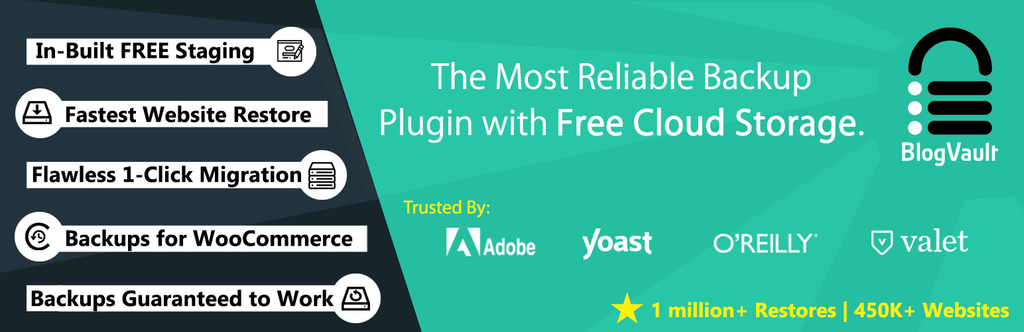
BlogVault is not just a migration plugin; it is a full managed WordPress service that handles migrations, incremental backups, and security through its own external dashboard. If you are willing to pay for a managed experience, it removes a lot of the manual labour from the process.
What you get for $99/year
- Zero-downtime migrations, handled in part by the BlogVault infrastructure, for large or complex sites.
- Incremental backups that only upload what changed, saving server bandwidth.
- Free malware scanning and a built-in firewall.
- White-label option for agencies managing multiple client sites.
Where it falls short
- $99/year is a heavy commitment for a tool you might only use two or three times a year.
- The managed approach means less direct control if you prefer handling files manually.
Best for: Agencies managing a large portfolio of client sites who want a single dashboard for migrations, backups, and security.
7. Migrate Guru — The Free Heavyweight

Built by the same team behind BlogVault, Migrate Guru is essentially their enterprise migration engine offered as a completely free, standalone plugin. Its standout claim is that it can migrate sites up to 200GB on the free tier.
Why it is worth keeping installed
- Handles massive sites up to 200GB without charging a cent.
- Runs on BlogVault’s external servers, meaning transfers happen on their infrastructure, completely bypassing your host’s PHP timeouts.
- Supports multisite networks out of the box.
Where it falls short
- Transfers route through BlogVault’s servers, which means your site data passes through a third party (a privacy concern for some enterprise or healthcare clients).
- It is purely a migration tool; it includes no backup or staging features.
Best for: Massive sites and multisite networks that need a free migration tool and are comfortable routing data through an external server.
How to Choose the Right Migration Plugin
With seven solid options on the table, your choice comes down to site size, budget, and how often you move sites.
If your site is over 2GB and speed is the priority: FastMigrate is the clear winner. Direct server-to-server transfers mean you get enterprise-level speed for free.
If you already use UpdraftPlus for backups: The Migrator add-on is a logical extension of your current setup.
If you are a developer who wants manual control: Duplicator gives you the precision that one-click tools lack.
If your site is small and you want a simple UI, All-in-One WP Migration does the job cleanly within its 512 MB free limit.
If you want backup, migration, and staging for free: WPvivid is the most complete package available under the 2GB mark.
If you manage dozens of client sites: BlogVault’s managed dashboard pays for itself in time saved.
If you are migrating a 50GB+ site for free: Migrate Guru handles sizes no other free plugin can touch.
Final Verdict
We have learned in this guide about the best WordPress migration plugins. The migration category has clearly shifted toward direct server-to-server transfers, and in our testing, FastMigrate delivered the fastest transfer times among the tools we tested. For most WordPress developers and agencies reading this, it should be the first tool you reach for on your next move. It is completely free, handles 10GB sites in under 5 minutes, and eliminates the timeout errors that still plague older plugins.
Keep Duplicator in your back pocket for edge cases requiring manual server control, and use Migrate Guru for the rare 50GB+ monster site. Pick your tool, run a test in a staging environment, and move on to your next project without the anxiety.
If you’re looking for managed WordPress hosting after migration, explore HostWP.io.