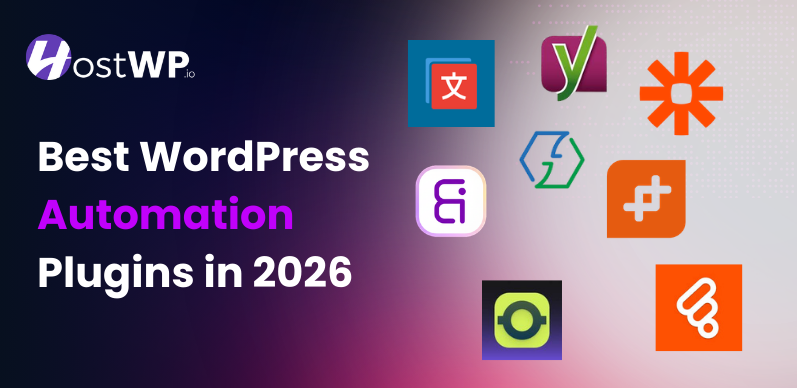




In 2026, automation has become a core part of running a WordPress site. With sites handling more traffic, sales, forms, and content than ever, manual tasks eat up hours that could go toward growth.
Automation cuts that down, letting you focus on what matters while your site runs smoother and scales without constant hands-on work.
This post looks at the top automation plugins available right now. The goal is to help you connect tools, handle repetitive jobs, and increase productivity without getting bogged down.
I put the spotlight on no-code options that work well for beginners all the way to experienced users. These stand out because they offer strong features, reliable integrations, and real value in today’s WordPress world.
Many of these plugins let you build workflows with simple triggers and actions, often through drag-and-drop interfaces. They connect WordPress plugins to external services like email tools, CRMs, or AI features, all without writing code.
Here are some of the best ones based on current recommendations and user feedback:
Quick Comparison Table
| Plugin | What It Does | Pricing |
| Bit Flows | Multi-step workflow automation with AI agents. It has 310+ Integrations, including OpenAI, Gemini, Claude, Perplexity, and more. | Free plan available. Paid plans start from $119/year with unlimited tasks, and a lifetime deal is also available for long-term value. |
| Zapier for WordPress | Connects WordPress to lots of external apps via “Zaps” for tasks like CRM updates(uses Zapier’s cloud service). | Free tier available. Prices start from $239/year with a limited task. |
| OttoiKit | A visual automation WordPress plugin designed for businesses to automate manual processes. | Offer a free plan. Prices start form $108/year with very limited tasks. |
| WPFusion | Deep bi-directional sync between WordPress and email tools using tags for personalized marketing, user data, and automation flows. | Offer a free plan. Prices start from $297/year and offer an LTD deal. |
| Zoho Flow | Cloud-based workflow tool connecting WordPress to Zoho apps and hundreds of others for business processes, with drag-and-drop builder. | Offer a free plan. Prices start from $330/year billed annually with limited task, and polling time. |
1️⃣ Bit Flows – Automate Workflow With AI Agent
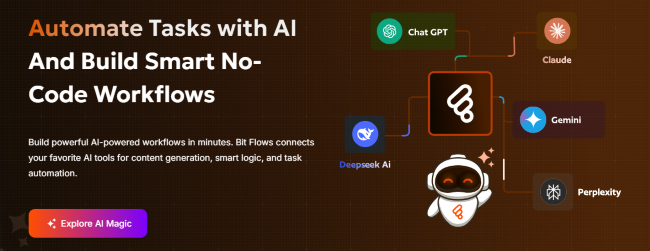
Bit Flows takes WordPress automation to the next level. It offers an intuitive experience directly on your site, with multi-step workflows, visual drag-and-drop building, and AI agents that make smart decisions.
You get unlimited workflows, steps, and tasks with no execution limits. Chain complex processes without worrying about quotas or paying per run.
Get 35% off on Bit Flows
Everything runs natively on your own server, ensuring better privacy and faster performance. No ongoing cloud fees. Bit Flows handles heavy logic, like routing form data or generating AI content, while you stay in control.
- Intuitive drag-and-drop visual canvas for building flows
- AI agents powered by ChatGPT, Gemini, Claude, and others
- Unlimited workflows, steps, tasks, and executions
- Advanced logic, including routers, repeaters, iterators, and delays
- Parser tools like CSV, XML, JSON
- Over 310+ platforms natively Integrated
- Full transparency and every plan included all features
- Webhook, APIs, and Custom App features for custom integrations
How it automates: Triggers from your site or external sources start multi-step flows. AI can analyze data, make decisions, and loop through items. It can add delays or route paths. Finally, it executes actions across connected services. Everything runs self-hosted.
Use cases: A powerful use case of Bit Flows with eCommerce is automatically rewarding high-value customers. When a customer places an order that meets your predefined conditions, the AI Agent reviews the order details and decides whether to trigger a reward.
If eligible, it can automatically generate a personalized coupon, send it directly to the customer via email, and even log the activity for your records on Google Sheets. Everything runs in the background without manual effort, helping you boost customer loyalty and encourage repeat purchases.
2️⃣ Zapier for WordPress – Versatile App Connector
Zapier for WordPress opens the door to massive connectivity by linking your site to more than 8,000 apps and services through their powerful cloud-based “Zaps.”
The official WordPress plugin makes it easy to trigger Zaps from posts, users, forms, orders, or custom events, then let Zapier’s ecosystem handle the rest with multi-step logic, filters, delays, and even AI enhancements.
It’s perfect when your needs go far beyond WordPress-native tools, and you want access to niche apps, advanced formatting, or team collaboration features. While it runs in the cloud (so some data leaves your server), the free tier lets you test ideas quickly, and premium plans scale reliably for growing sites.
- Access to 8000+ apps and services worldwide
- No-code Zap creation with multi-step sequences
- AI-powered steps for smarter processing
- Triggers from WordPress core, plugins, posts, users, and forms
- Filters, paths, delays, and formatters for precise control
- Free tier for basic Zaps and testing
- Enterprise security and team sharing options
- Broad coverage for non-WordPress tools
How it automates: WordPress events push data to the Zapier cloud, where multi-step Zaps run with conditions, formatting, or AI, then complete actions in other apps and optionally loop back to update your site.
Use cases: Automatically tweet new blog posts with custom images and hashtags, add newsletter signups to multiple email tools and Slack channels, or use AI to summarize form feedback before logging it to a project board.
3️⃣ Ottokit – Developer-Focused Automator
Ottokit is a modern no-code automation platform built for WordPress. It connects to over 1300 apps and integrates with plugins like WooCommerce, LearnDash, Elementor, FluentCRM, and more.
Its visual builder lets you create workflows combining site events with external services and AI, scaling from simple tasks to full business processes.
It offers ease for developers and agencies needing reliable, task-based execution without unnecessary bloat. Pricing is accessible, with a generous free tier and scalable monthly options.
- Drag-and-drop no-code workflow editor
- 1300+ app and service integrations
- Deep support for WordPress plugins (WooCommerce, LearnDash, etc.)
- AI-enhanced actions and logic
- Task-based automation limits that scale
- Multi-app chaining and complex flows
- Free starter plan for basic use
- Flexible monthly or annual scaling
How it automates: Site or app triggers launch visual flows with conditional branches, AI processing, and chained actions that sync data, create content, or notify teams across platforms.
Use cases: Enroll paid WooCommerce customers into membership courses automatically, generate and schedule LinkedIn updates from new blog content, or send personalized post-purchase thank-yous with dynamic discounts.
4️⃣ WPFusion – CRM Synchronization Expert

WP Fusion creates easy two-way synchronization between WordPress and your CRM or email marketing platform. Using tags to control everything from user access to personalized campaigns.
It supports over 60 CRMs, integrates with 150+ WordPress plugins, and automates data flow to keep your site and CRM perfectly in sync.
Actions on your site update CRM records instantly, while CRM changes can control site features like content visibility or membership levels. It’s a favorite for marketers and membership site owners seeking deep personalization without constant manual updates.
- True bi-directional data syncing
- Tag-based rules and automation engine
- Connections to 60+ CRMs and email platforms
- 150+ WordPress plugin integrations
- Automated user creation and imports
- Webhook triggers for custom events
- Personalized content, emails, and access rules
- Priority support on paid plans
How it automates: WordPress events apply/remove tags in your CRM, sync profile data both ways, trigger sequences or automations, and enforce site rules based on CRM status in real time.
Use cases: Tag completed course students in ActiveCampaign for advanced nurture series, restrict premium content to users tagged “general” in your CRM, or sync WooCommerce buyers for targeted upsell emails.
5️⃣ Zoho Flow – Business Process Automator
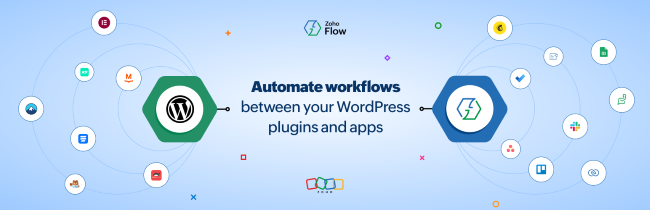
Zoho Flow connects your WordPress site to the full Zoho ecosystem (CRM, Books, Campaigns, Desk, etc.) and hundreds of other apps.
It uses a simple drag-and-drop builder focused on real business processes. Create flows for approvals, data syncing, notifications, and more, with built-in conditions, delays, and formatting.
It’s cloud-based for reliability and perfect for teams using Zoho tools, offering smooth connections without complex setup. The free tier covers the basics, while paid plans add more tasks and features for growing operations.
- Intuitive drag-and-drop flow creation
- Native deep integration with all Zoho apps
- Hundreds of external connectors beyond Zoho
- Conditional branching, delays, and formatters
- Cloud execution for consistent performance
- Free tier for testing and light use
- Task-based scaling on paid plans
- Strong focus on end-to-end business workflows
How it automates: WordPress triggers send data to Zoho Flow cloud, where multi-step processes run with logic and actions across Zoho tools or others, completing cycles like lead creation or order fulfillment.
Use cases: Turn form submissions into qualified leads in Zoho CRM with scoring, update Zoho Books inventory after every WooCommerce sale, or route customer support tickets from site forms to the right Zoho Desk queue.
Key factors to keep in mind before choosing an automation plugin:
Picking the right automation plugin isn’t just about what looks impressive on paper – it’s about choosing a solution that supports your goals, fits your workflow, and grows with your business over time.
First, think about your budget: Many automation tools come with high recurring fees and still limit the number of triggers, actions, or total usage. As your website grows, those costs can quickly add up. If you want something more cost-effective, Bit Flows starts at $119/year and also offers lifetime deals, making it a more affordable long-term solution.
Second, look at the features: Make sure the plugin actually supports the integrations and automation flexibility you need because some tools look powerful but are not actually. Choose a solution that gives you enough triggers, actions, and tools.
Third, consider setup complexity: Some automation platforms feel complicated, especially when they aren’t fully native to WordPress. A confusing interface can slow you down. Bit Flows keeps things simple with a beginner-friendly dashboard and an easy drag-and-drop builder, so you can create workflows without technical headaches.
Conclusion
In 2026, automation is no longer a luxury, it’s a necessity for WordPress site owners looking to scale efficiently. With so many options available, Bit Flows stands out as a clear leader. It offers affordable pricing with advanced features, unlimited usage, smooth workflows, and lifetime pricing without recurring fees.
Whether you’re a business owner looking for simplicity or someone needing reliable everyday automations, Bit Flows gives you the tools to connect tools, cut manual work, and focus on growth.
Frequently Asked Questions
Q: Can I use Bit Integrations for WooCommerce?
A: Yes! Bit Integrations automates tasks like syncing WooCommerce orders, updating inventory, and sending data to your CRM or email tools. It supports 33+ WooCommerce events for automation.
Q: Which WordPress automation plugin is best for beginners?
A: Bit Integrations it’s no-code, user-friendly platform with a free version for simple setups like form-to-CRM syncing.
Q: Why is automation important for WordPress sites in 2026?
A: With higher traffic and content demands, it saves time on manual work, increases efficiency, and helps sites scale without constant oversight.
Q: Are there free automation options?
A: Yes, plugins like Bit Integrations, Zapier, Ottokit, TranslatePress, Yoast SEO, Zoho Flow, and Bit Social have free plans with basic features.
Q: What’s the difference between self-hosted and cloud-based automation plugins?
A: Self-hosted plugins run the workflow entirely on your own WordPress server. Cloud-based plugins run the workflow on external servers.
Q: Which plugin is best for social media automation?
A: Bit Social handles auto-posting, scheduling, AI captions, and sharing to 12+ platforms (Twitter/X, LinkedIn, Facebook, Instagram, etc.) directly from WordPress content, with unlimited queues and an external cron for reliability.