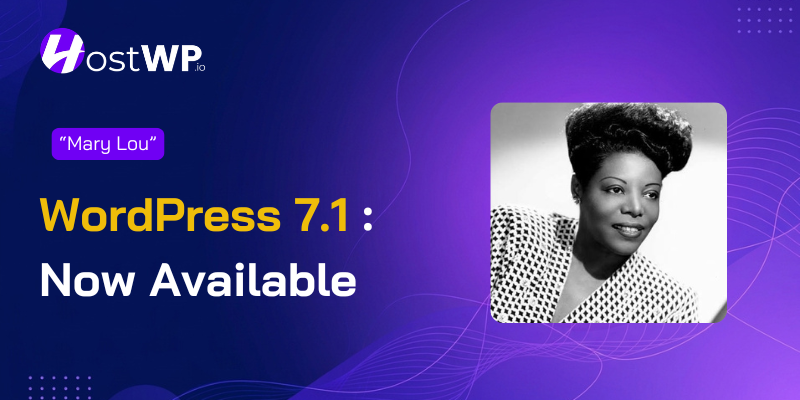



Every WordPress release is named after a jazz legend, and 7.1 honors Mary Lou Williams – a pianist who reinvented herself through nearly every era of jazz.
In the same spirit of reinvention that defined Mary Lou’s music, let’s explore everything WordPress 7.1 has to offer.
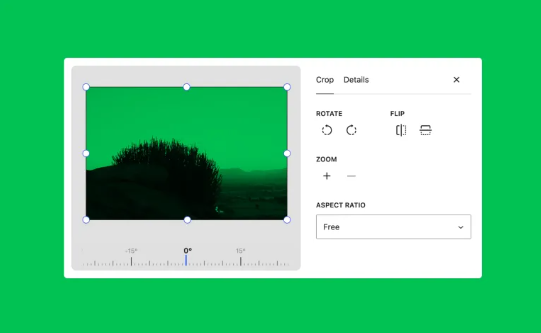
This release is all about making WordPress work the way you actually think – moving smoothly between pages, designing without fighting code, and collaborating without friction. You’ll notice the admin bar sticking with you wherever you go, new responsive controls that automatically adapt your designs to any screen, and a completely rethought image editor that finally puts cropping, rotation, and metadata tools in one logical place.
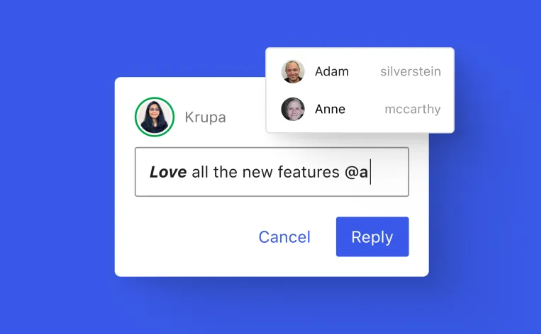
For teams working together, Notes just got a major upgrade. You can now attach comments to specific words or phrases, format them with bold and links, and tag teammates directly.
There are also two handy new blocks – Playlist for audio collections and Tabs for organising content- plus a way to add your own custom icons without extra plugins. That’s just scratching the surface.
Check out the official release video below to get a sneak peek of all the changes in action.
Now that you’ve seen the highlights, let’s break down each update in detail so you know exactly what they mean for your site.
Responsive Styling Without Touching CSS
If you’ve ever fought to make a block look right on mobile, this one’s for you. Responsive controls now live right in the editor, so you can style blocks per screen size without writing a single line of custom CSS – and preview it live as you go.
- Style blocks for different screens from Global Styles or block settings
- Preview your changes at real viewport sizes while you work
- Themes can define their own mobile and tablet breakpoints in theme.json
Improved Image Editing Inside The Block Editor
Cropping images in WordPress always felt a bit tacked on, like an afterthought. 7.1 fixes that with a dedicated media editor that pulls every editing tool into one clean workflow, while keeping the Crop button you already know.
- Freeform and aspect-ratio cropping in one place
- Flip horizontally or vertically, plus precise snap rotation
- Edit image metadata without ever leaving the editor
Faster Uploads, Lighter Server Load
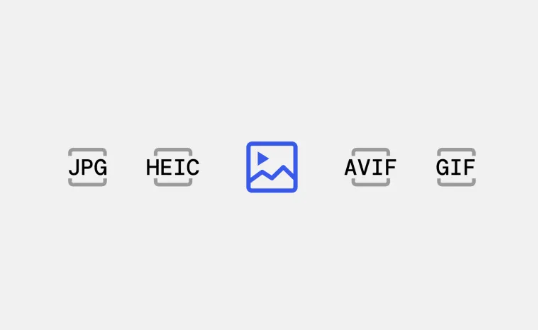
This is the part your server will thank you for. In WordPress 7.1, heavy image processing now happens in your browser instead of on your host, so large uploads no longer eat PHP memory or time out midway.
- Client-side compression and resizing via WebAssembly (libvips)
- Native support for AVIF, HEIC, and HDR gain maps from modern phones
- Opt-in GIF-to-video conversion, progress bars, and automatic retries
Notes That Feel Like Real Collaboration
If you work with editors or clients, you know how messy feedback can get. Notes just graduated from a sticky-note system into a proper review tool built for real back-and-forth, bringing the experience closer to what you get in Google Docs, but with the powers of WordPress combined.
- Rich text inside notes: bold, italic, code, and links
- Type @ to mention teammates and notify them instantly
- Attach notes to specific text and collapse long threads
Two New Blocks Worth Knowing
New blocks don’t show up in every release, so getting two at once is worth your attention. Both solve layout problems you’d usually need an extra plugin for.
- Playlist: stack multiple audio tracks into one player with an optional waveform
- Tabs: tuck related content into clean tabbed panels instead of one long scroll
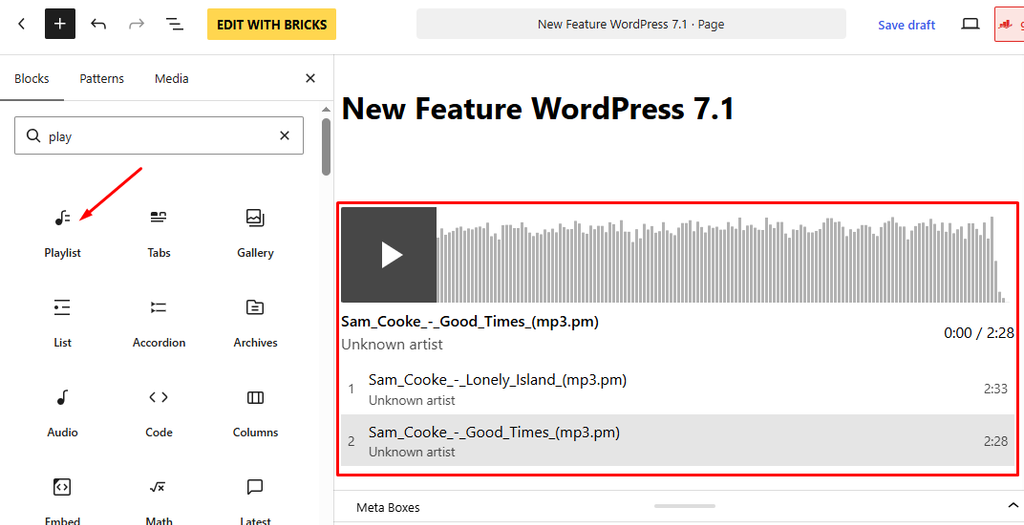
(Playlist Feature)
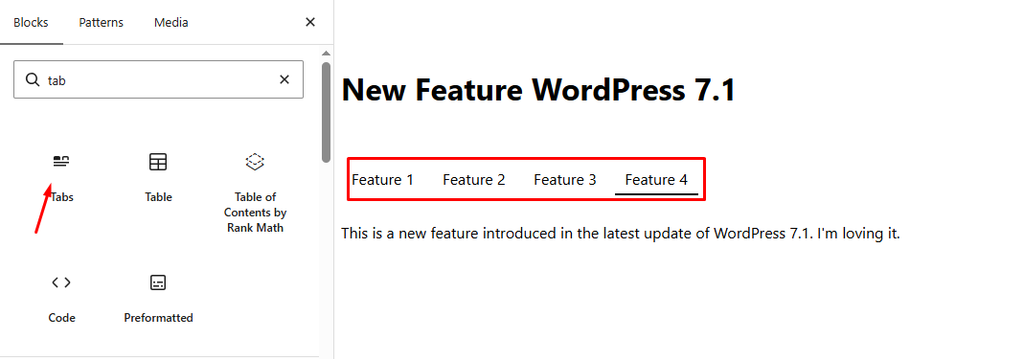
(Tabs Feature)
Small Changes That Make Editing Feel Right
Some updates don’t scream for attention, but you feel them every time you open the editor. These are the quiet, quality-of-life changes that just make sense.
- The admin bar now follows you into every editor
- The post editor is fully iframed, so admin styles stop leaking into your content
- Buttons get hover, focus, and active styles set right in the editor
Goodies For The Developers
Developers aren’t left out either. This release opens up a few APIs that make WordPress noticeably easier to build on, especially for automation and custom admin screens.
- The SVG Icon API is now public. Developers can register their own icon collections and individual icons using functions like wp_register_icon_collection(), wp_register_icon(), and wp_get_icon(). These custom icons then become available throughout the editor alongside the built-in library.
- The Abilities API gains a filterable lifecycle and custom validation — handy for AI-powered tooling and custom automation.
- A new admin Design System introduces semantic design tokens and a ThemeProvider component to ensure consistent custom UIs.
The Quiet Wins: Accessibility and Performance
The unglamorous stuff matters, and 7.1 delivers plenty of it for screen reader users, keyboard navigation, and slower connections.
- Accessible tooltips reach more admin screens, including the login page
- Clearer screen reader labels in post list tables
- Media Library gets infinite scroll by default, with configurable speculative loading
Ready to Upgrade?
Before you hit that update button, make sure your hosting is up to the task. HostWP.io offers lightning-fast LiteSpeed servers, built-in staging environments, and free premium plugins to make your WordPress 7.1 experience completely seamless. Start your journey with HostWP.io today and let us handle the heavy lifting while you enjoy the new features.