

LiteSpeed Cache: Blazing WordPress Speed
Unlock LiteSpeed Cache Performance Free With HostWP.io
LiteSpeed Cache accelerates your WordPress site instantly—no heavy caching rules, no complex CDN setups, no manual minification. Just enable server-level optimization and let your pages load in milliseconds automatically.
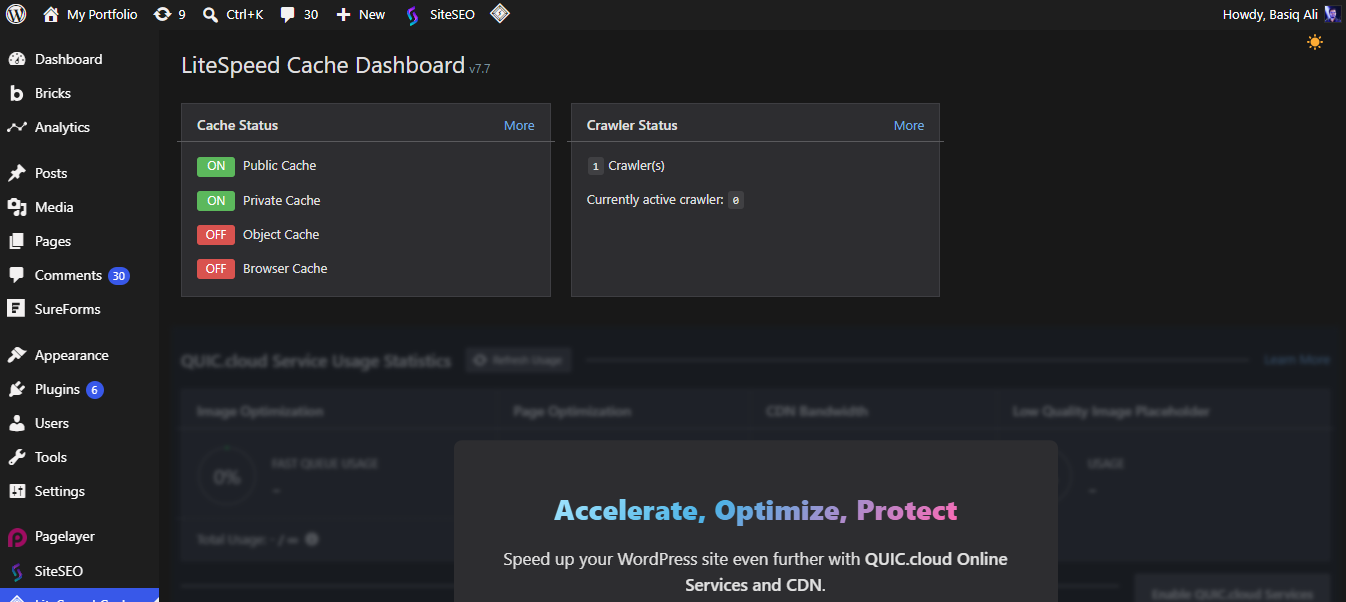
How It Works
Three Steps. No Caching Confusion
Enable Server-Level Caching
Optimize Images & Assets
Achieve Perfect Speed
Everything You Need for Blazing, Reliable Page Speed
More than just a basic free cache plugin — designed to handle traffic surges, resource-heavy pages, and strict performance benchmarks.
Complete Performance Overhaul
Server-Level Page Caching
Smart Object Caching
Automated Image Optimization
Instant One-Click Minification
Hands-Free Lazy Loading
Granular Cache Control
Advanced CDN Integration
Detailed Speed Analytics

Replace Expensive WordPress Plugins with One HostWP.io subscription
A Simple, Guided Caching Setup & Speed Experience
No complex server rules, no performance guesswork — just a clear path from activation to instant acceleration.
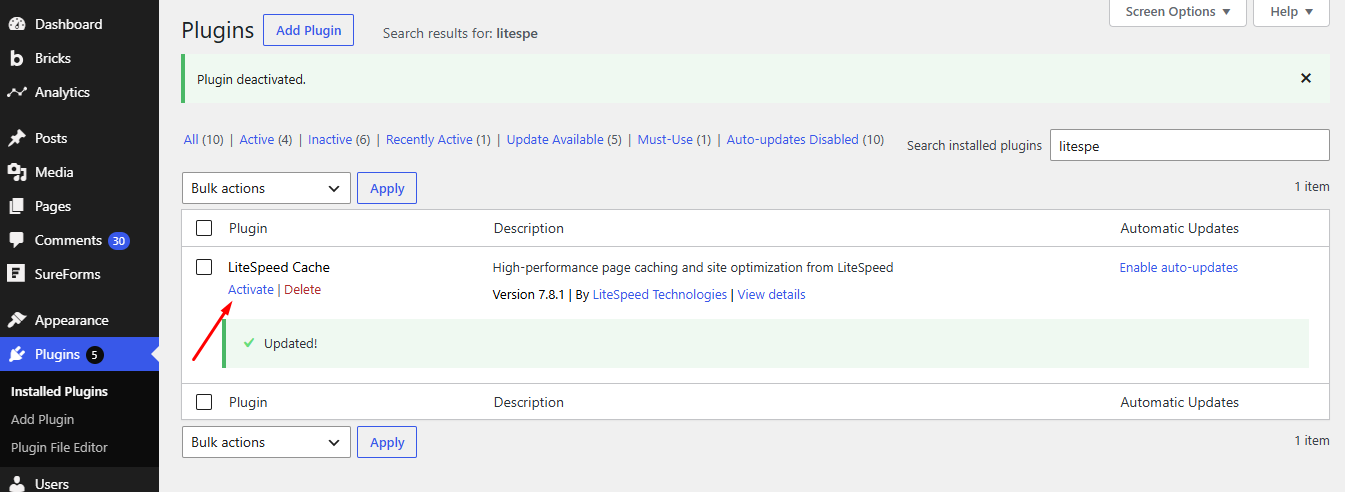
Plugin Activation
Simply install the free LiteSpeed Cache plugin directly from your WordPress dashboard and hit "Activate". It takes just a few seconds to prepare your site for blazing speed.
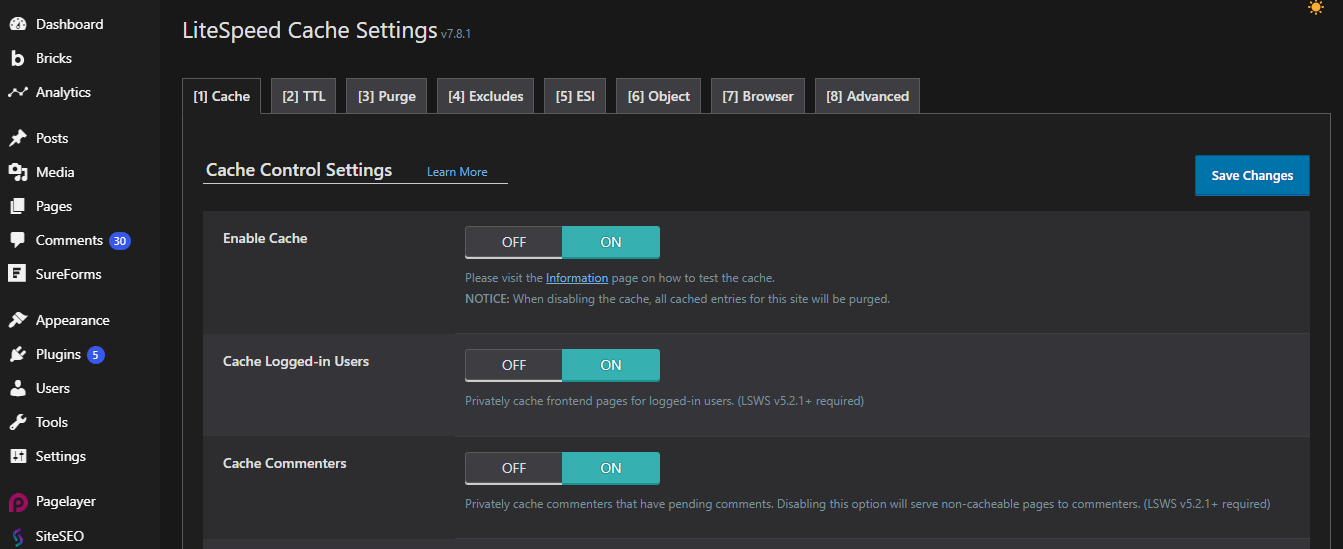
Enable Cache Control
Navigate to the Cache Control settings and flip the main toggle switch to ON. This single action instantly unlocks powerful server-level caching without any complex configurations.
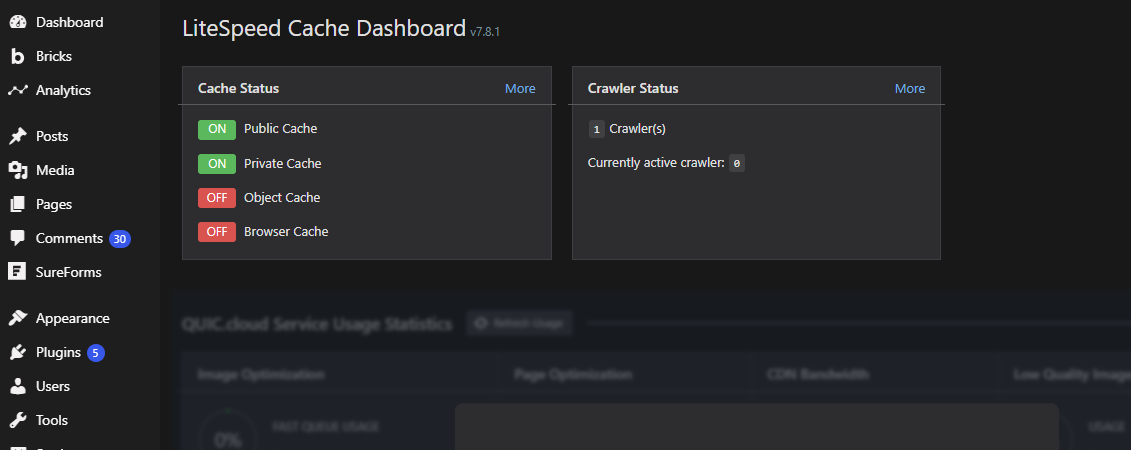
Verify Active Status
Check the main dashboard to see the green "Cache: Enabled" indicator. Your website is now silently accelerating in the background, delivering faster load times to every visitor.
Engineered By Experts Who Optimize Server Performance Daily
LiteSpeed Cache is built and maintained by the same team behind HostWP.io's high-performance WordPress hosting — we built the blazing, server-level caching plugin we always wished existed.
Frequently Asked Questions
Will this cache plugin break my site's design?
Not at all. LiteSpeed Cache includes a safe “Guest Mode” and granular exclusion settings, ensuring your design stays perfectly intact while speeding up.
Do I need technical knowledge to configure it?
Absolutely not. The plugin comes with recommended settings that work out-of-the-box. Just enable cache and optimization with one click.
Do I need a LiteSpeed server to use this?
For full server-level caching, yes. However, the plugin still provides powerful browser caching, image optimization, and minification on any hosting.
Does it work with WooCommerce?
Will it improve my Google PageSpeed score?
Yes, significantly. By enabling server caching, image optimization, and resource minification, most sites see immediate improvements in Core Web Vitals.
Is LiteSpeed Cache really free?
Yes, 100% free. The core plugin includes all essential features like page caching, image optimization, CDN support, and database cleanup with no hidden costs.
Expert WordPress Support Engineers Available 24/7
90 sec
Average
Response Time
98 %
Customer
Rating
24/7
Expert
Support