



The rise of AI-powered builders like Lovable has sparked a critical question for founders, developers, and agencies: Should you build with an AI-native platform or stick with the proven flexibility of WordPress? This comparison cuts through the hype to evaluate both platforms across the factors that actually impact your project’s success: speed, scalability, SEO, cost, and long-term maintainability.
Methodology:
How We Evaluated Both Platforms
We assessed Lovable and WordPress using consistent criteria: time-to-first-deployment, customization depth, SEO control, hosting requirements, total cost of ownership over 36 months, and suitability for common use cases (MVPs, content sites, e-commerce, internal tools). Testing included hands-on project builds, documentation review, and analysis of real-world performance benchmarks from independent sources.
What Is Lovable? Ideal Use Cases
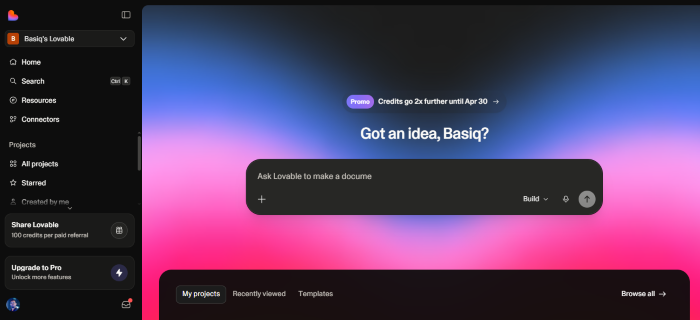
Lovable is a full-stack AI development platform that generates editable React/Supabase code from natural language prompts. It targets founders, product teams, and agencies building MVPs, internal tools, or simple consumer apps where speed of iteration matters more than deep customization. Lovable works best for projects with straightforward data models, limited third-party integrations, and teams comfortable with AI-assisted development workflows.
What Is WordPress? Where It Still Dominates
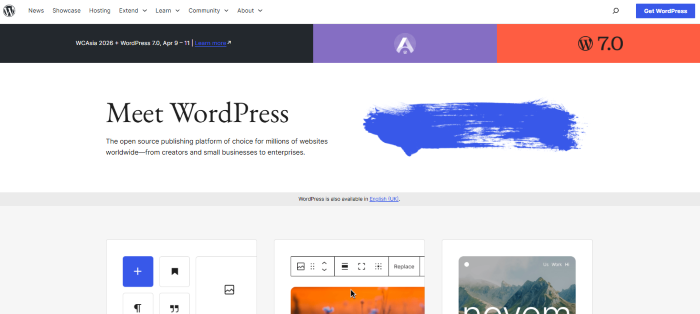
WordPress powers over 40% of the web because it balances accessibility with extensibility. It remains the strongest choice for content-heavy sites, complex e-commerce (via WooCommerce), membership platforms, and projects requiring granular SEO control, custom post types, or deep plugin integration. With proper hosting infrastructure like LiteSpeed Enterprise and Redis caching, WordPress scales reliably from personal blogs to enterprise traffic volumes.
Detailed Comparison Table
Here’s a comprehensive comparison of Lovable and WordPress covering the most important aspects:
| Feature | Lovable | WordPress |
| Setup & Ease of Use | Drag-and-drop interface; minimal setup; ideal for beginners; website ready in hours. | Requires hosting setup, theme selection, and plugin installation; steeper learning curve. |
| Design & Customization | Pre-built templates with visual customization; limited coding access; fast deployment. | Unlimited themes and plugins; full code control; highly customizable but requires skill. |
| Performance & Speed | Hosting optimized by platform; minimal configuration needed; reliable for small to medium traffic. | Depends on hosting provider; caching and CDN can improve speed; scalable for high traffic. |
| SEO & Marketing Tools | Built-in SEO options; simple analytics dashboard; basic marketing features. | Advanced SEO via plugins; full analytics integration; supports marketing automation tools. |
| Security & Compliance | Automatic updates; managed SSL; compliance-ready; low maintenance required. | Security depends on hosting and plugins; manual updates required; backup solutions needed. |
| Cost & Pricing | Fixed monthly/annual plans; hosting and maintenance included; predictable costs. | Variable costs: hosting, premium plugins, themes, and maintenance; hidden costs possible. |
| Support & Community | Dedicated support with live chat and documentation; fast issue resolution. | Massive global community; tutorials and forums available; support depends on hosting. |
| Ideal Use Cases | Small businesses, portfolios, personal websites, and beginner-friendly projects. | Blogs, e-commerce stores, corporate websites, and complex projects requiring customization. |
Head-to-Head Breakdown
Speed to Launch
Lovable: Minutes to hours for basic apps via prompt-to-deploy workflows. Ideal for validating concepts quickly.
WordPress: Hours to days depending on theme/plugin selection and configuration. Faster when using prebuilt templates or managed hosting with one-click staging.
Customization & Control
Lovable: Generates clean, editable code but limits deep architectural changes. Best for projects staying within its React/Supabase stack.
WordPress: Near-unlimited customization via themes, plugins, and custom code. Full server access on quality hosts enables advanced optimization.
SEO Capabilities
WordPress maintains an edge for technical SEO due to mature plugins (Rank Math, Yoast), server-side rendering by default, and granular control over metadata, schema, and URL structures. Lovable can achieve strong SEO but often requires additional configuration for crawlability and structured data, particularly for dynamic content.
Hosting & Infrastructure
Lovable includes managed hosting with usage-based pricing, simplifying deployment but limiting infrastructure choices. WordPress offers full hosting flexibility: shared, VPS, or managed platforms like HostWP.io that provide LiteSpeed Enterprise, NVMe storage, and QUIC.cloud CDN for performance-critical sites.
Pricing Transparency
Lovable: Free tier available; Pro plans start at $25/month with credit-based usage for AI and cloud resources. Costs can scale unpredictably with complex projects.
WordPress: Core software is free. Costs come from hosting ($10-$100+/month), premium themes/plugins ($50-$300/year), and optional development support. Total 3-year TCO often favors WordPress for established projects due to predictable infrastructure pricing.
Use-Case Mapping:
Choose Lovable If…
Choose Lovable If you want an intuitive, no-code platform that turns ideas into working apps in minutes—not days. It is perfect for beginners, content creators, and small business owners who need fast results without technical overhead. With AI-powered guidance and pre-built templates, you can launch confidently even with zero development experience. Skip the complexity; choose Lovable if you value speed, simplicity, and a tool that actually feels enjoyable to use.
- You need a functional prototype or MVP in under 48 hours
- Your app has simple data relationships and minimal third-party dependencies
- Your team prefers natural-language development over traditional coding workflows
- You prioritize rapid iteration over long-term architectural control
Choose WordPress If…
- Your project is content-driven (blog, media site, documentation)
- You require advanced SEO, custom post types, or complex user roles
- You plan to scale traffic significantly and need infrastructure-level optimization
- You value plugin extensibility and a mature ecosystem for future feature additions
Hidden Differentiators: What Specs Don’t Show
Developer experience matters. Lovable reduces initial friction but can introduce complexity when projects outgrow its abstractions. WordPress has a steeper learning curve for advanced customization but offers clearer long-term ownership and portability. For agencies managing multiple client sites, WordPress’s standardized workflows and hosting compatibility often reduce operational overhead despite longer initial setup.
Pros and Cons
Lovable Pros
- Extremely fast prototype-to-deployment cycle
- Generates clean, editable source code
- Built-in authentication, database, and deployment
- Collaborative workspaces for team projects
Lovable Considerations
- Credit-based pricing can become unpredictable at scale
- Limited plugin ecosystem compared to WordPress
- SEO requires additional configuration for dynamic content
- Less control over server-level performance tuning
WordPress Pros
- Unmatched plugin and theme ecosystem
- Granular SEO and content management control
- Flexible hosting options for performance optimization
- Strong community support and documentation
WordPress Considerations
- Requires more initial setup and configuration
- Performance depends on hosting quality and optimization
- Plugin conflicts can occur without careful management
- Security updates require ongoing maintenance
Final Recommendation by Scenario
For founders testing a startup idea with a simple web app, Lovable can help you move quickly and validate concepts in less time. However, as your project grows, limitations in flexibility and control can become a concern.
For agencies, content creators, and businesses building SEO-driven websites, WordPress remains the stronger choice. With its massive ecosystem, content management capabilities, and long-term scalability, it provides a more stable foundation for growth—especially when paired with performance-optimized hosting.
For enterprises that require governance, compliance, and infrastructure control, WordPress stands out as the more reliable solution. Its open ecosystem, flexibility, and ability to integrate with custom systems make it better suited for complex, large-scale environments.
Ready to Test Your Choice?
Lovable offers a free tier if you want to experiment with AI-assisted development and rapid prototyping.
But if your focus is on building a fast, scalable, and future-proof website, WordPress is the safer long-term investment. With the right setup, it delivers both performance and flexibility.
For optimized performance, platforms like HostWP.io offer LiteSpeed Enterprise hosting along with a free performance audit—helping you benchmark and improve your current setup for real-world results.
FAQ Section
Is Lovable better than WordPress for SEO?
WordPress currently offers more reliable out-of-the-box SEO control through mature plugins and server-side rendering. Lovable can achieve strong SEO but often requires additional configuration for structured data and crawlability, particularly for dynamic React-based content.
Can I migrate a Lovable project to WordPress later?
Yes, but it requires rebuilding the frontend and backend logic. Tools like WPConvert.ai can help convert static exports from AI builders into WordPress themes, though complex application logic may need manual reimplementation.
Which platform has a lower total cost of ownership?
For simple prototypes, Lovable’s free tier minimizes upfront cost. For production sites with traffic, WordPress often has lower 3-year TCO due to predictable hosting pricing and a vast library of free plugins. Always model costs based on your specific feature requirements.
Does WordPress work well for modern web apps?
Absolutely. With REST API, headless configurations, and modern page builders, WordPress powers complex web applications. Performance depends on hosting quality—platforms with LiteSpeed, Redis, and NVMe storage handle dynamic WordPress apps efficiently.
What if I need both speed and long-term control?
Use Lovable for rapid prototyping, then migrate validated concepts to WordPress for production. This hybrid approach leverages AI speed for discovery while retaining WordPress’s scalability for growth.