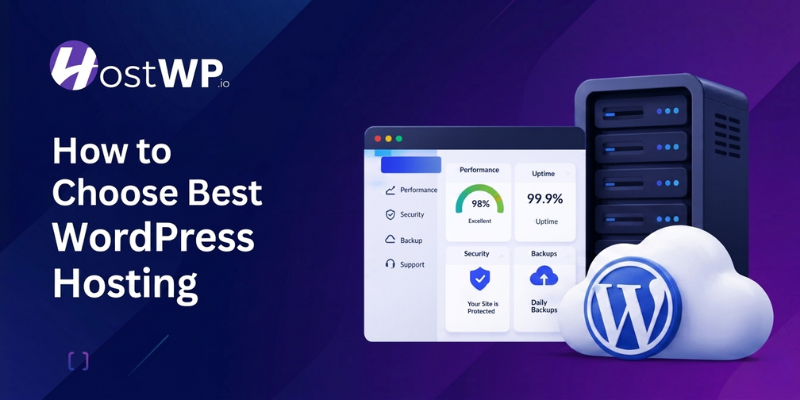




Choosing WordPress hosting used to be simple. You would buy the cheapest shared hosting plan you could find, install WordPress, and hope everything worked.
That approach no longer works in 2026.
Modern WordPress websites are heavier; visitors expect pages to load instantly, Google rewards fast websites, and security threats have become more aggressive. Your hosting provider now directly affects SEO rankings, conversions, customer trust, and even your daily workflow.
The problem is that most hosting companies still market themselves the same way they did years ago. Unlimited everything, extremely low introductory pricing, and generic promises about “fast servers.”
Behind the marketing, many providers still run outdated infrastructure, overcrowded servers, poor support systems, and aggressive renewal pricing.
If you are trying to figure out how to choose the best WordPress hosting for your website, this guide breaks down what actually matters today, without the marketing fluff.
Why Your Hosting Choice Matters More Than You Think
A lot of website owners focus heavily on design, plugins, or SEO strategies while completely overlooking hosting.
In reality, hosting is the foundation behind everything your website does.
Even the best-designed WordPress website will struggle if the server behind it is slow or unreliable. Visitors notice delays immediately. Online stores lose sales. Forms stop converting. Search rankings decline. Admin dashboards become frustrating to use.
Poor hosting usually creates problems gradually.
At first, your website feels “slightly slow.” Then plugin updates start timing out. Backups become unreliable. Traffic spikes crash pages. Support takes hours to reply. Before long, you are spending more time fixing hosting issues than growing your website.
Good WordPress hosting removes those problems before they happen.
A properly optimized hosting environment improves:
- Website loading speed
- WordPress admin performance
- WooCommerce responsiveness
- SEO performance
- Website security
- Uptime reliability
- Scalability during traffic spikes
That is why choosing hosting based only on price is usually a mistake.
Types of WordPress Hosting Explained
Before learning how to choose the best WordPress hosting, you need to understand the main types available. Not every hosting type is built for the same purpose.
Shared WordPress Hosting
Shared hosting is usually the starting point for beginners. It is affordable and easy to set up, which makes it attractive for people launching their first website.
In this type of hosting, multiple websites are placed on the same server and share its resources. This helps reduce cost, but it also means your website’s performance depends on how other websites are using those resources.
- Shared Server Resources: Your website shares CPU, RAM, and bandwidth with many other websites. This keeps pricing low, but if one website uses too many resources, it can slow down others on the same server.
- Best for Low Traffic Websites: Shared hosting works well for small blogs, personal websites, or projects with limited traffic. It is a good starting point, but it may not handle growth smoothly.
- Limited Performance Control: You do not have much control over server settings or performance optimization. This can become a limitation as your website grows or requires more speed.
- Basic Security Setup: Security is usually standard. Since multiple websites are on the same server, a security issue on one site can sometimes affect others if isolation is not strong.
Managed WordPress Hosting
Managed WordPress hosting is built specifically for WordPress.
Instead of simply renting server space, the hosting provider actively optimizes the environment for WordPress performance, security, updates, backups, and caching.
This usually includes:
- WordPress-specific server optimization
- Daily backups
- Advanced caching
- Malware scanning
- Better security isolation
- Performance monitoring
- WordPress-focused support
For most businesses, agencies, WooCommerce stores, publishers, and serious content websites, managed WordPress hosting is usually the better long-term decision.
VPS and Dedicated Hosting
These are more advanced hosting options designed for websites that need higher performance, control, and scalability. They are commonly used by growing businesses or high-traffic platforms.
While they offer more power, they also require a better understanding of server management or additional cost for managed services.
- VPS with Dedicated Resources: VPS hosting gives you a portion of a server with dedicated resources like CPU and RAM. It offers better performance and stability compared to shared hosting.
- Full Control with Dedicated Hosting: Dedicated hosting gives you an entire server for your website. This allows maximum performance and customization, but it comes with a higher cost and responsibility.
- Higher Technical Requirement: These hosting types often require server management knowledge. Without managed support, you may need to handle setup, security, and optimization yourself.
- Best for High Traffic Projects: VPS and dedicated hosting are ideal for large websites, eCommerce stores, or applications with high traffic. For beginners, they are usually not necessary in the early stage.
LiteSpeed and NVMe Are No Longer Optional
One of the easiest ways to identify outdated hosting is by checking the underlying technology stack.
If a hosting provider is still heavily relying on old Apache-only environments and traditional SSD or HDD infrastructure, you are already dealing with older technology.
Modern WordPress hosting should include:
- LiteSpeed web servers
- NVMe storage
- Built-in caching
- Modern PHP support
- Optimized database handling
Why LiteSpeed Matters
LiteSpeed has become one of the best-performing server technologies for WordPress websites.
Compared to traditional Apache setups, LiteSpeed handles traffic more efficiently and works exceptionally well with WordPress caching systems.
For WordPress users, LiteSpeed often means:
- Faster page loads
- Better WooCommerce performance
- Lower server resource usage
- Improved handling of traffic spikes
- Better backend responsiveness
Many website owners notice the difference immediately after migrating from older Apache-based hosting.
Why NVMe Storage Matters
NVMe storage is significantly faster than older SSD technology.
This directly improves:
- WordPress admin speed
- Database performance
- Plugin operations
- Backup creation
- WooCommerce order processing
- LMS performance
For dynamic WordPress websites, especially WooCommerce or membership platforms, NVMe storage can make the website feel substantially faster.
In 2026, modern hosting should already include these technologies by default.
Key Features to Look for in 2026
When thinking about how to choose the best WordPress hosting, focus on features that actually matter today. Technology has changed, and so have user expectations.
Speed and Performance
Speed is no longer optional. It directly affects user experience and search rankings.
People expect websites to open quickly. If your site feels slow, most visitors will leave before they even see your content. This not only affects engagement but also impacts how search engines rank your pages.
Your hosting plays a major role in this. Even a well-designed website can feel sluggish if the server behind it is not optimized. That is why performance should always be one of your top priorities.
- LiteSpeed Servers: Look for hosting that uses LiteSpeed servers. These servers are designed for high performance and work well with WordPress caching systems. They handle traffic efficiently and improve loading speed without requiring extra manual optimization.
- NVMe Storage Technology: NVMe storage is much faster than traditional SSDs. It helps your website load more quickly and handle higher traffic smoothly, especially during peak hours when server load increases.
- Built-in Caching and CDN Support: Built-in caching and CDN support can improve loading times across different locations. This ensures your website performs consistently for visitors, no matter where they are accessing it from.
Security Features
Security is a major concern, especially with increasing online threats.
Websites of all sizes are targeted by automated attacks every day. Even if your website is small, it can still be vulnerable if your hosting does not provide proper protection. A single security issue can damage both your data and your reputation.
Choosing a secure hosting environment helps you stay protected without needing advanced technical knowledge. It gives you peace of mind and allows you to focus on your content or business.
- Firewall Protection and Malware Scanning: A good host should provide strong firewall protection and malware scanning. This helps block harmful traffic before it reaches your website and keeps your data safe from common online threats and attacks.
- SSL Certificates: SSL certificates are essential. They encrypt user data and build trust with visitors by showing that your website is secure, while also helping improve visibility in search engine results.
- Regular Backups: Regular backups are very important for any website. If anything goes wrong, you can restore your website quickly without losing valuable content, design changes, or important data.
Uptime Reliability
Your website should always be accessible.
If your website goes down often, visitors may stop trusting it. For businesses, downtime can directly affect sales and customer experience. Even short interruptions can have a negative impact.
Reliable hosting providers use strong systems to keep websites running smoothly. They monitor servers continuously and fix issues before they become serious problems.
- 99.9 Percent Uptime Guarantee: Look for hosting providers that guarantee at least 99.9 percent uptime. This ensures your website stays online most of the time with minimal interruptions, which is important for both user experience and trust.
- Reliable Infrastructure and Monitoring: Reliable infrastructure and monitoring systems help prevent downtime. These systems constantly track server health and detect issues early, so they can be resolved before your website is affected.
- Uptime Alerts and Notifications: Some providers offer uptime alerts, so you are informed immediately if something goes wrong. This helps you respond quickly instead of finding out after visitors start reporting issues.
Support Quality
Support is often overlooked, but it can save you hours of frustration.
No matter how good your hosting is, you may still face issues at some point. When that happens, having access to helpful and responsive support makes a big difference. Poor support can turn small problems into major ones.
A good support team understands WordPress and provides clear solutions. This is helpful for beginners as well as experienced users who need quick assistance.
- 24/7 Availability: Choose a host that offers 24/7 support. Problems can happen anytime, and you need help whenever you need it, not just during limited hours when issues may have already escalated.
- WordPress Specific Support: WordPress-specific support is important. General support teams may not fully understand WordPress-related issues, which can slow down the solution and create unnecessary delays during troubleshooting.
- AI Chatbot Limitations: Many hosting providers now rely heavily on AI chatbots for support. While they can help with basic questions, they often fail to solve real technical problems. For serious issues, always prefer human support or WordPress expert support.
- Fast and Clear Responses: Quick response time and clear answers make a big difference, especially during urgent situations when your website is not working properly or is facing errors that need immediate attention.
Pricing Reality, Renewal Costs, and What You Actually Get
One thing that confuses most people while choosing a hosting plan is pricing. At first, everything looks cheap and affordable. But the real difference usually appears when it is time to renew the plan.
Many hosting providers offer very low introductory prices, but after the first term ends, the renewal cost becomes much higher. This is something most users do not notice in the beginning, and it often leads to frustration later.
In some cases, the hosting itself is not the only cost. You may also need to buy extra tools separately, such as backups, security add-ons, caching plugins, or performance tools. This makes the total cost much higher than expected.
- Low Intro Price vs High Renewal Cost: Many hosting companies attract users with discounted first-term pricing. However, when you renew, the price can increase significantly, which changes the long-term affordability of the plan.
- Grandfathered Pricing Advantage: Some hosting providers offer grandfathered pricing, which means your renewal cost stays the same as your original plan. This helps you plan your budget without unexpected price jumps in the future.
- Extra Tools and Hidden Costs: In many hosting setups, essential features like backups, security scanning, or performance optimization are not included. You often have to buy these tools separately, which increases your total monthly expense.
- Value in One Package Hosting: A better hosting approach is when essential features like backups, security, caching, and optimization are already included in the plan. This reduces dependency on third-party tools and keeps everything simple to manage.
Managed WordPress Hosting: Is It Worth It?
Many people ask whether managed hosting is worth the cost. The answer depends on your needs, but in most cases, it is a smart choice.
Managed WordPress hosting removes a lot of technical burden. You do not have to worry about updates, backups, or performance optimization. This allows you to focus on your content or business instead of technical issues.
- Automatic Updates: Automatic updates keep your WordPress core, themes, and plugins secure without manual effort. This helps reduce security risks and ensures your website is always running on the latest stable versions.
- Daily Backups: Daily backups ensure your data is always safe. If anything goes wrong, you can restore your website quickly without losing important content or settings.
- Performance Optimization: Performance optimization is handled by experts in managed hosting setups. This means your site runs faster without you needing to tweak technical settings manually.
- Security Monitoring: Security monitoring protects your site continuously in the background. It helps detect threats early and reduces the risk of hacks, downtime, or data loss.
Features That Are Becoming Standard
Some features that were once considered premium are now expected. When learning how to choose the best WordPress hosting, make sure these are included.
- Free SSL Certificates: Free SSL certificates are now a basic requirement. Without them, your website may be flagged as insecure by browsers, which can reduce trust and affect your search rankings.
- One-Click WordPress Installation: One-click WordPress installation makes setup easy, even for beginners with no technical experience. It saves time and helps you get your website live quickly without complications.
- Staging Environment: Staging environments allow you to test changes before making them live. This helps avoid mistakes on your main site and gives you confidence when updating themes or plugins.
- Email Hosting Availability: Email hosting is often included, but the quality can vary. It is important to check if it meets your needs or if you should use a separate email solution for better reliability.
Outdated Features You Should Avoid
Not everything advertised by hosting providers is useful. Some features are outdated and should not influence your decision.
- Misleading Unlimited Resources: Unlimited resources claims can be misleading. In reality, there are always limits, and performance can suffer if too many sites are sharing the same server at the same time.
- Outdated Storage Technology: Old server technologies like HDD storage are slow and should be avoided. Always choose modern storage options like NVMe for faster performance and better reliability.
- Lack of Transparency: Lack of transparency about resource usage is a red flag. A good hosting provider should clearly explain what you are getting, so you know exactly what you are paying for.
- Complex Control Panels: Complicated control panels can make website management harder than it needs to be. A simple and clean interface helps you save time and reduces confusion, especially for beginners.
Quick Comparison Table
Here is a simple comparison to help you understand what to look for when choosing a host.
| Feature | Basic Hosting | Good Hosting (2026 Standard) |
| Storage Type | HDD or SSD | NVMe Storage |
| Server Technology | Apache | LiteSpeed |
| Backups | Paid or Weekly | Free Daily Backups |
| Support | Limited | 24/7 WordPress Support |
| Security | Basic | Advanced Protection |
| Performance | Average | High Speed Optimized |
How to Choose the Best WordPress Hosting Step by Step
Now let’s bring everything together into a simple process you can follow.
Step 1: Understand Your Needs
Every website is different. Start by identifying what you actually need.
- If you are starting a blog, you may not need advanced features immediately. But you should still choose a host that can grow with you.
- Business websites need reliability and speed. Even small delays can affect customer trust and conversions.
- Developers may need more control and flexibility. Features like staging and SSH access can be important.
Step 2: Check Performance Features
Speed should be one of your top priorities.
- Look for LiteSpeed servers and NVMe storage. These are strong indicators of modern hosting infrastructure.
- Check if caching is included. This improves loading times without extra plugins.
- Consider global performance. If your audience is worldwide, CDN support is useful.
Step 3: Evaluate Security
Do not compromise on security.
- Make sure the host offers daily backups and easy restore options. This protects your data.
- Check for malware protection and firewall systems. These prevent common attacks.
- Ensure SSL certificates are included. This is essential for trust and SEO.
Step 4: Test Support
Support can make or break your experience.
- Try contacting support before buying. This gives you an idea of response time and quality.
- Look for WordPress-focused support teams. They understand your needs better.
- Check if support is available 24/7. Issues do not follow business hours.
Step 5: Consider Pricing Structure
Pricing should be clear and fair.
- Look for transparent pricing with no hidden fees. This helps you plan your budget.
- Some providers offer grandfathered pricing. This means your renewal cost stays the same, which is a big advantage.
- Avoid extremely cheap plans that compromise on quality. It often leads to problems later.
A Practical Note for Hosting Buyers
If you are serious about learning how to choose the best WordPress hosting, focus on value instead of just price. Cheap hosting may save money at first, but it can cost more in lost traffic and time.
A good hosting provider should offer a balance of speed, security, support, and reliability. Features like LiteSpeed servers, NVMe storage, free backups, and strong security are not luxuries anymore. They are part of a solid hosting setup.
- Look for hosting that is built specifically for WordPress. This ensures better performance and compatibility.
- Choose providers that offer real support, not just basic help. WordPress issues require expertise.
- Think long term. A good host should grow with your website without forcing you to migrate frequently.
- Pay attention to user experience. A simple dashboard and easy management tools can save you time.
Final Thoughts
Learning how to choose the best WordPress hosting becomes much easier once you ignore marketing gimmicks and focus on infrastructure, support, reliability, and long-term value.
The cheapest hosting plan is rarely the best investment for a serious website.
Modern WordPress websites need:
- Fast infrastructure
- Reliable uptime
- Strong security
- Expert support
- Transparent pricing
- WordPress-focused optimization
Technologies like LiteSpeed and NVMe are no longer premium extras. They are part of modern hosting standards.
The right hosting provider should help your website grow, not create limitations you eventually have to escape from.
If you are looking for a provider that is built around these principles, platforms like HostWP.io focus on performance-driven WordPress hosting, strong security, and WordPress-engineered support designed for real website owners.