



Everyone wants their website to rank on the first page of Google. It is the ultimate goal for almost everyone building a site.
You spend hours writing great content, researching keywords, and building backlinks. But there is a massive piece of the puzzle that most people completely ignore until their rankings start dropping.
That missing piece is your web host.
You can have the best content in the world, but if your website takes ten seconds to load, nobody is sticking around to read it. And if users leave quickly, Google notices.
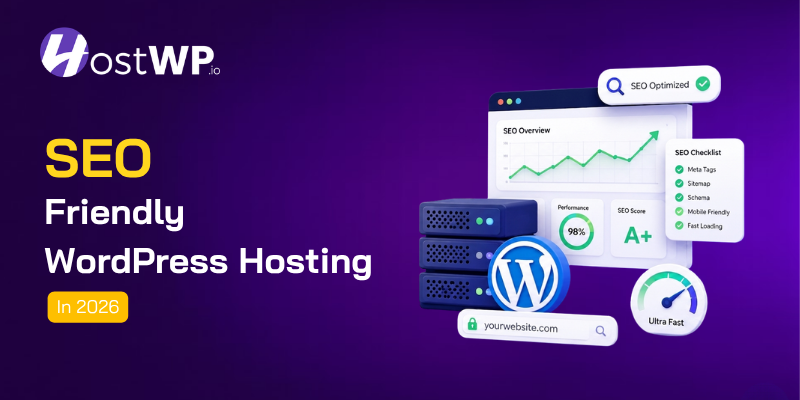
It assumes your site is not good, and it drops your rankings. This is exactly why finding the right SEO friendly WordPress hosting is one of the most important decisions you will make for your online business.
In this guide, we are going to break down exactly what makes a web host good for SEO. We will skip the confusing technical jargon and just talk about what actually matters for your rankings.
Why Your Hosting Choice Actually Impacts Your SEO
Let us start with the basics. Why does Google care about your server?
Google’s main goal is to give users the best possible experience. When someone searches for a question, Google wants to send them to a site that loads instantly, looks good on mobile, and works perfectly.
If your site is slow, crashes often, or has security warnings, it is a bad user experience.
Google measures this using something called Core Web Vitals. These are just fancy terms for page speed, visual stability, and interactivity.
Your web host controls almost all of these factors. The server is where your website lives. If the server is slow, your site is slow. If the server crashes, your site goes down.
Many people think SEO is just about what you put on the page. But technical SEO, which is heavily tied to your server performance, is just as important.
If the foundation of your house is weak, it does not matter how nice the furniture is.
The house will still have problems.
That is why investing in SEO friendly WordPress hosting is not just an IT decision. It is a core marketing strategy.
How to Choose SEO friendly WordPress Hosting: The Core Features
When you start looking at different hosting companies, they all claim to be the fastest. They all use big words and confusing tech specs.
So, how do you actually know what you are looking at?
Here are the hardware and software features that actually move the needle for your site speed.
NVMe Storage vs Regular SSD
A few years ago, everyone switched from old hard drives to SSDs (Solid State Drives). SSDs were a huge upgrade.
But today, the standard for top performance is NVMe storage. NVMe drives connect directly to your server’s processor, which means data transfers happen almost instantly.
When WordPress needs to load a page, it reads dozens of files from the database. NVMe reads these files much faster than standard SSDs.
If your host is still using older storage tech, your site will always feel a step behind, to keep your site upgraded you must have a hosting that provides NVMe storage.
LiteSpeed Servers
Most cheap hosting companies use Apache or standard NGINX servers. They work fine for basic sites, but they struggle when things get busy.
LiteSpeed Enterprise servers are built specifically to handle high traffic and work perfectly with WordPress. They process requests faster and use less memory.
When you pair LiteSpeed with WordPress, the speed difference is something you can actually see with your own eyes.
Modern PHP Versions
WordPress runs on a coding language called PHP. Every year, new versions of PHP come out, and they are significantly faster and more secure than the old ones.
A good host will automatically update your site to the latest stable PHP version (like PHP 8.4 or 8.5). If your host is still running PHP 7.4, your site is literally running slower than it needs to.
Finding true SEO friendly WordPress hosting means making sure the company is using the latest hardware and software. Do not settle for outdated tech just because it is a few dollars cheaper.
Quick Comparison: Storage Types and Their Impact
| Storage Type | Speed | Best For | SEO Impact |
| HDD (Old Hard Drive) | Very Slow | Basic backups | Negative |
| SATA SSD | Good | Standard websites | Neutral |
| NVMe SSD | Ultra Fast | High-traffic sites | Very Positive |
Uptime and Reliability: The Hidden SEO Killer
Imagine this. You write an amazing article. It starts getting shared on social media. People are clicking the link.
But when they get there, they see a “502 Bad Gateway” error. The site is down.
They leave and go to a competitor.
Now imagine Google’s web crawler tries to visit your site at that exact moment. It sees the error, too.
If this happens often, Google assumes your site is unreliable. It will stop crawling your pages as frequently, and your rankings will tank.
This is why uptime is non-negotiable. You need a host that guarantees at least 99.9% uptime.
That sounds like a small number, but it means your site is only allowed to be down for about 43 minutes in an entire month.
But do not just trust the marketing page. Look at independent uptime tracking sites to see how the host actually performs in the real world.
A cheap host might offer 99% uptime, which sounds great until you realize that means your site could be down for over three days a year. That is a massive hit to your SEO.
Reliable SEO friendly WordPress hosting keeps your doors open 24/7 so Google and your visitors can always reach you.
Uptime Comparison: What the Numbers Really Mean
| Uptime Guarantee | Downtime Per Month | Downtime Per Year | SEO Risk |
| 99.99% | 4.3 minutes | 52 minutes | Very Low |
| 99.9% | 43 minutes | 8.7 hours | Low |
| 99% | 4.3 hours | 3.6 days | High |
| 95% | 21.6 hours | 18 days | Critical |
Server Location and Why SEO friendly WordPress Hosting Needs a CDN
Physical distance matters on the internet. If your server is located in New York, and your target audience is in London, the data has to travel across the Atlantic Ocean every single time someone loads your page.
That travel time adds up, making your site load slower for your visitors.
This is why server location is a big deal. You want your server to be as close to your main audience as possible.
If most of your customers are in Europe, you want a European data center. If they are in the US, you want a US data center.
But what if you have a global audience?
What if you have visitors from all over the world?
You cannot put your server in ten different countries at once.
This is where a CDN (Content Delivery Network) comes in. A CDN takes static files from your website, like images, CSS, and JavaScript, and saves copies of them on servers all around the world.
When a visitor from Japan loads your site, the CDN delivers those files from a server in Tokyo, not from your main server in New York.
A good CDN makes your site load incredibly fast for everyone, no matter where they live.
When you are evaluating SEO friendly WordPress hosting, always check if they include a CDN. Some hosts charge extra for this, but it is a vital tool for global speed and better international SEO rankings.
Security Features in SEO friendly WordPress hosting
Security and SEO might seem like two totally different things, but they are deeply connected.
First, there is SSL. You know that little padlock icon next to a URL in the browser? That means the site is using HTTPS.
Google officially uses HTTPS as a ranking signal. If your site is still running on HTTP, Google will flag it as “Not Secure” to visitors, and your rankings will suffer.
Every good host should provide a free, auto-renewing SSL certificate. If they try to charge you extra for basic security, walk away.
Then there is malware and hacking. If your WordPress site gets hacked, the hacker might inject spam links or malicious code into your pages.
Google’s automated systems will catch this very quickly. When they do, they will blacklist your site and show a massive red warning page to anyone trying to visit.
Getting removed from Google’s index is an SEO disaster.
This is why your host needs to have proactive security. They should offer daily malware scanning, a web application firewall (WAF) to block bad traffic, and automated backups.
If your site does get compromised, you need to be able to restore it to a clean version in minutes, not days. The faster you fix a security issue, the less damage it does to your search rankings.
Scalability: Handling Traffic Spikes Without Crashing
Let us talk about the best problem you could ever have: your website goes viral.
Maybe a big influencer shares your link. Maybe your article gets featured on a major news site. Suddenly, you have a hundred times more visitors than usual.
If you are on a cheap, shared hosting plan, your site will probably crash.
Shared hosting means you are sharing server resources with dozens of other websites. When your traffic spikes, you use up all your allocated resources, and the host shuts your site down to protect the other sites on the server.
This is a massive missed opportunity. Your site is getting the exact traffic you always wanted, but it is offline.
Plus, Google’s bot might try to crawl the site during the spike, see that it is down, and lower your rankings just as you were about to hit the big time.
This is where managed WordPress hosting shines. Good hosts use isolated environments or cloud-based resources that can automatically scale up when you need more power.
When traffic spikes, the server simply allocates more resources to keep your site running smoothly.
Being able to handle sudden growth without breaking is a core feature of SEO friendly WordPress hosting. You want a host that celebrates your traffic spikes, not one that penalizes you for them.
Database Performance and Caching
WordPress is a database-driven platform. Every time someone visits a page, WordPress has to ask the database for the post content, the comments, the sidebar widgets, and the theme settings.
If the database is slow, the whole page is slow.
This is where caching and object caching come in. Caching creates a static HTML version of your page so the server does not have to build it from scratch every time.
But object caching (like Redis or Memcached) takes it a step further. It saves the results of database queries in the server’s memory.
The next time WordPress needs that data, it gets it instantly without asking the database.
Setting up object caching can be very technical. A good host will have this configured on the server level for you.
You just turn it on in your dashboard, and your database queries drop from taking milliseconds to taking microseconds. It is one of the easiest ways to speed up a heavy WordPress site.
The Ultimate Checklist for SEO friendly WordPress hosting
If you are shopping around for a new host, use this quick checklist to make sure you are getting a platform that will actually help your SEO.
- NVMe Storage: Ensure they are using the fastest storage available, not older SATA SSDs.
- LiteSpeed or NGINX Servers: Avoid hosts still using older Apache setups.
- Latest PHP Versions: They should support PHP 8.0 or higher and make it easy to switch.
- 99.9% Uptime Guarantee: Check independent reviews to verify they actually hit this number.
- Free SSL Certificate: Never pay extra for basic HTTPS security.
- Built-in CDN: Look for a host that includes a global CDN to speed up international traffic.
- Server-Level Caching: They should offer LiteSpeed Cache or Redis object caching out of the box.
- Daily Backups: Ensure they take daily backups and let you restore them with one click.
- Proactive Security: Look for malware scanning and a web application firewall.
- Expert Human Support: When your site goes down at 2 AM, you need a real person who understands WordPress, not a chatbot.
How HostWP.io Delivers True SEO friendly WordPress hosting
We built HostWP.io because we were tired of seeing WordPress sites struggle with bad hosting. We wanted to create a platform where speed, security, and reliability were the standard, not an expensive upgrade.
When you host your site with HostWP.io, you are getting a platform built specifically for SEO success.
We use LiteSpeed Enterprise servers and ultra-fast NVMe storage across all our plans. This means your PHP files load instantly, and your database queries fly.
We also include a free QUIC.cloud CDN with over 80 global locations. Whether your visitors are in New York, London, or Tokyo, your site will load fast for them.
We provide free SSL certificates, daily automated backups, and server-level Redis object caching to keep your database running perfectly.
But we do not just give you the tools. We make sure they are configured correctly out of the box.
You do not need to be a server expert to get top-tier performance. We handle the technical heavy lifting so you can focus on creating great content and building your business.
Plus, our support team is made up of real WordPress experts. If you ever run into a technical issue that is affecting your site’s performance, we are here to help you fix it quickly.
Final Thoughts
SEO is a long game. It takes time, effort, and consistency to build a site that ranks well.
But no matter how much time you spend on your content strategy, it will all fall flat if your technical foundation is weak.
Your web host is the engine that powers your entire online presence. It dictates how fast your site loads, how well it handles traffic, and how secure your data is.
All of these factors play a direct role in how Google views and ranks your website.
Do not let a cheap, slow host hold your hard work back. Take a close look at your current setup.
If your site is struggling with speed, downtime, or technical issues, it might be time for a change.
Upgrading to true SEO friendly WordPress hosting is one of the best investments you can make for the future of your website.
Give your content the fast, reliable home it deserves, and watch your rankings start to reflect the quality of your work.