

"Backuply" Secure WordPress Backups
Get Backuply Pro For Free With HostWP.io
Backuply secures your entire WordPress site with a single click - no manual file downloads, no database exports, no messy FTP transfers. Generate a full backup, choose your cloud destination, and let Backuply handle the rest automatically.
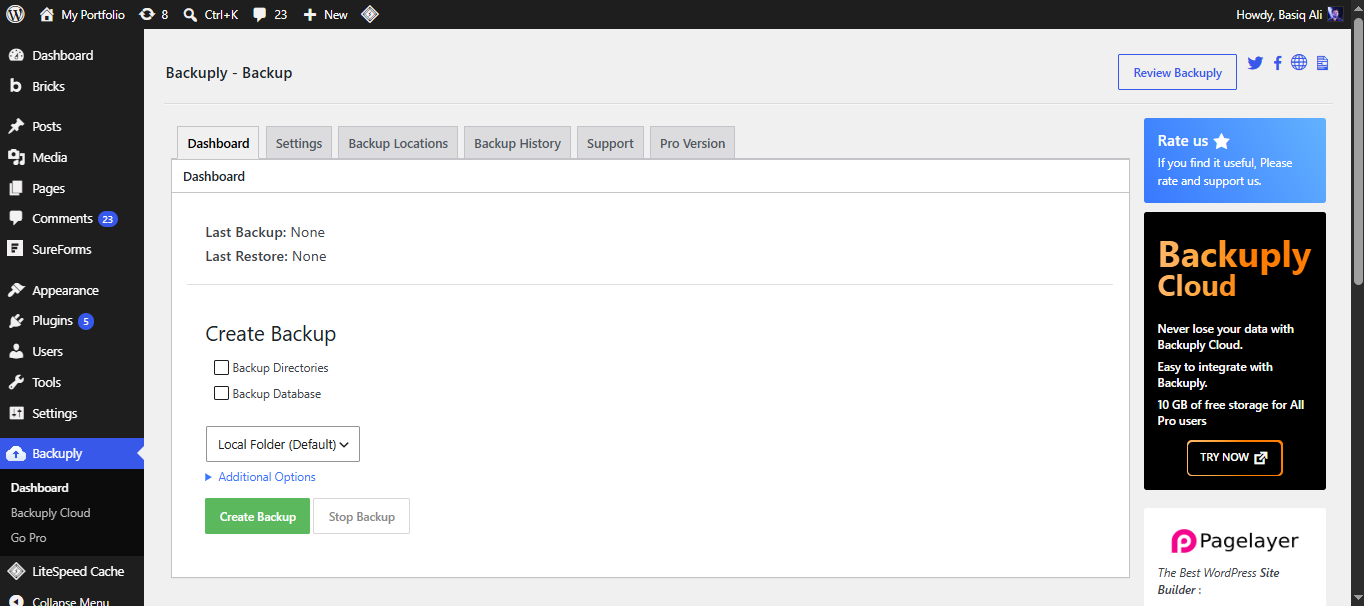
How It Works
Three Steps. No Technical Headaches.
One-Click Backup
Automated Cloud Storage
Instant One-Click Restore
Everything You Need for Instant, Flawless Recovery.
More than just a basic free tool — built to handle large sites, complex databases, and demanding server environments.
True Full-Site Backups
Incremental Backups
Automated Storage
Instant One-Click Restore
Hands-Free Scheduling
Granular File Control
Military-Grade Encryption
Built-In Site Migration
Detailed Activity Logs
A Clean, Guided Backup & Restore Experience.
No confusing settings, no guesswork — just a clear path from backup to instant recovery.
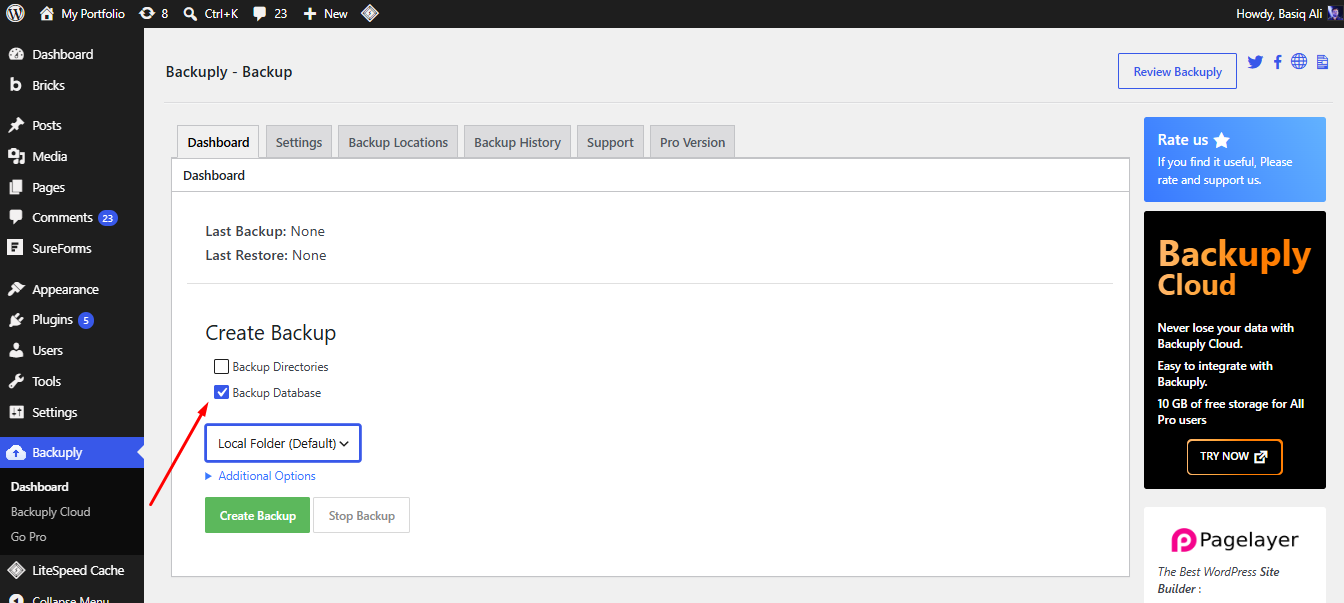
Choose What to Protect
Select your files, database, or both. Pick your preferred cloud destination — Dropbox, Google Drive, Amazon S3, or remote FTP.
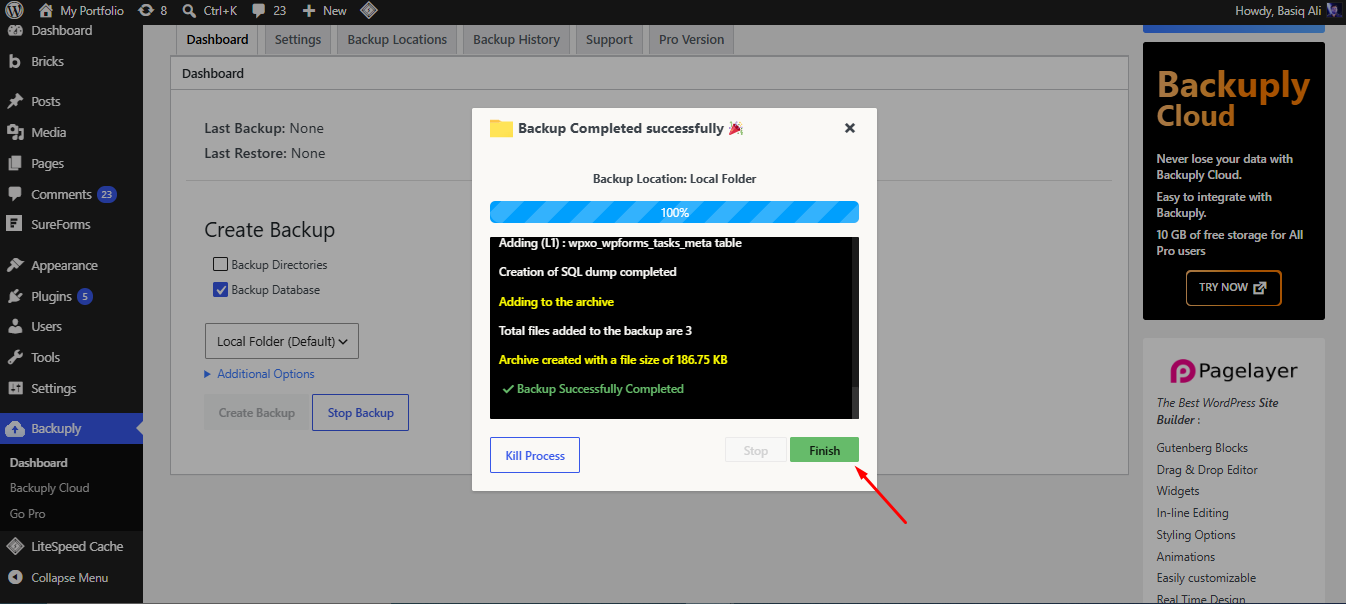
Backup Runs Automatically
Hit "Create Backup" or set a schedule. Backuply compresses, encrypts, and securely transfers your data to the cloud — all in the background.
Restore in One Click
Disaster strikes? Browse your backup history, select a restore point, and recover your entire site in seconds. No downtime, no data loss.

Built By Experts Who Manage Backups And Recovery Daily.
Backuply is built and maintained by the same team behind HostWP.io's LiteSpeed WordPress hosting — we built the secure, one-click recovery tool we always wished existed.
Frequently Asked Questions
How long does it take to back up or restore my WordPress site?
It depends on your site size, but Backuply is optimized for speed. A standard backup takes just a few minutes, and thanks to our 1-click restore feature, you can get your entire site back online in seconds with zero downtime.
Will my WordPress admin login still work after a restore?
Yes, absolutely. Because Backuply creates an exact, complete clone of your site, your admin username, password, and all user roles will remain exactly the same as they were at the time the backup was taken.
What if a backup or restore process fails halfway through?
Your website remains 100% safe. Backuply is built with advanced fail-safes, meaning if a process is interrupted, your live site and existing data are never corrupted or lost. You can simply restart the process with zero risk.
Will it back up root files like .htaccess and robots.txt?
Yes. Backuply doesn’t just back up your themes and uploads; it captures every single file on your server, including .htaccess, wp-config.php, and robots.txt for a flawless, exact restoration.
How big of a WordPress site can Backuply handle?
Virtually no limits. Whether you run a massive WooCommerce store, a site with a huge media library, or a multi-gigabyte database, Backuply handles it effortlessly. It uses smart chunking and incremental backup technology to process large sites in the background, ensuring zero server timeouts and no slowdowns on your live website.
Is Backuply really free?
Yes, absolutely. The core version of Backuply is 100% free with no hidden fees, no credit card required, and no forced upsells. You get complete site backups, major cloud integrations, and 1-click restores right out of the box.
Expert WordPress Support Engineers Available 24/7
90 sec
Average
Response Time
98 %
Customer
Rating
24/7
Expert
Support