


Performance, efficiency, and long-term scalability are core to how we build HostWP.io. Today, we’re excited to announce that PHP 8.5.x is now available across all HostWP.io hosting plans.
Our customers can switch to PHP 8.5 with a single click and start using the latest PHP version within seconds and take advantage of performance and security benefits of using the latest PHP version.
This update ensures your WordPress websites stay fast, secure, and future-ready. Using the latest PHP version on WordPress websites has definite advantages and when you combine PHP 8.5 with LiteSpeed Enterprise, NVMe storage, Redis Object Cache, QUIC cloud CDN, latest AMD CPUs, DDR5 RAM, you will get the best performance per dollar spent and that’s why at HostWP.io we pride ourselves of providing the fastest, secure WordPress hosting running on up to date latest software and hardware.
Why PHP 8.5 Matters for WordPress Hosting
Every new PHP release brings meaningful improvements under the hood—and PHP 8.5 continues that trend.
With PHP 8.5, WordPress websites benefit from:
- Improved execution efficiency
- Reduced memory usage
- Faster request handling
- Ongoing security patches and active maintenance
It makes sense to always use updated software to power your WordPress websites as you improve the overall efficiency of running WordPress websites and make the best use of the available hardware resources.
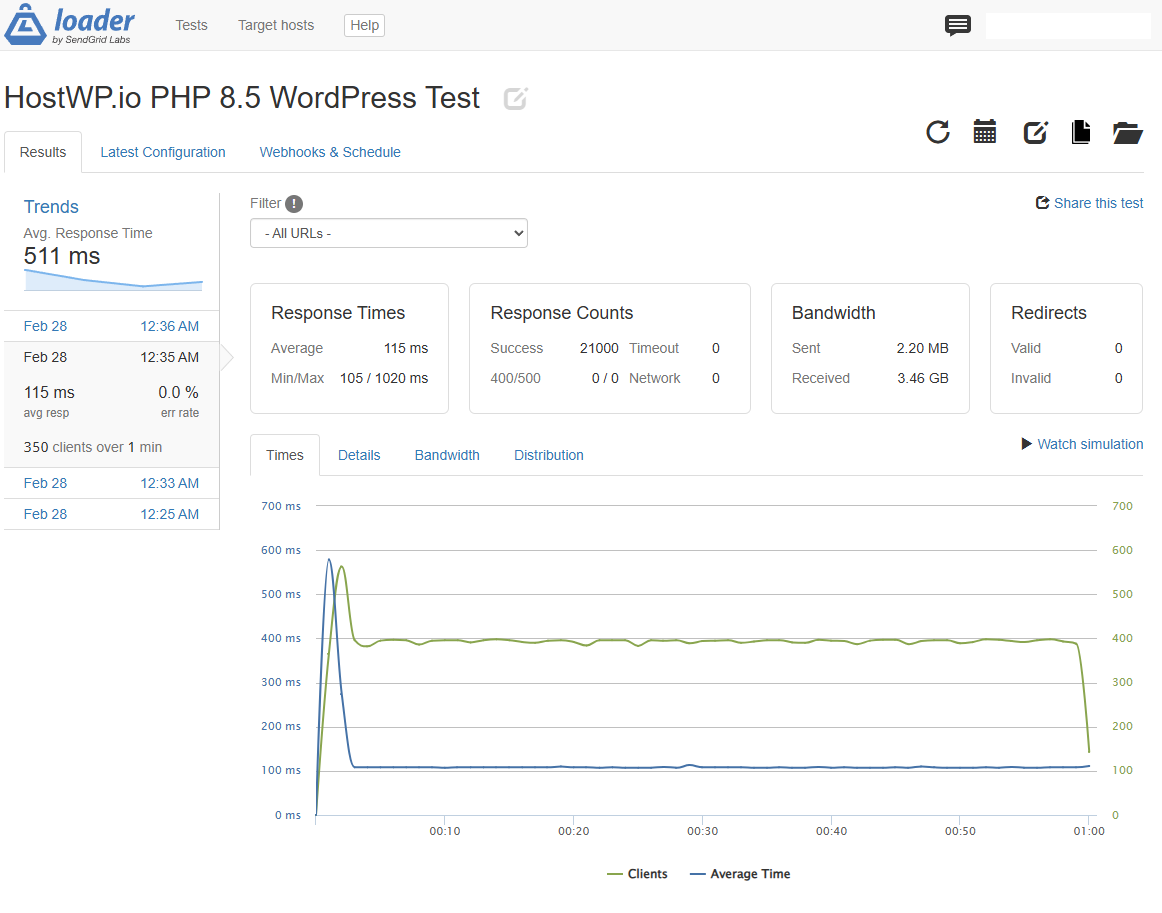
WordPress 6.9.1 running on PHP 8.5 with LiteSpeed Enterprise
Test configuration
- Client Load: 350-400 clients
- Test Runtime: 1 minute
- Test Tool: Loader.io
Test Results Summary
- Avg. Response Time = 115ms
- Response Counts = 21000
- Error Rate = 0%
- Bandwidth Received = 3.46 GB in one minute
Should You Upgrade WordPress to PHP 8.5?
Short answer: Yes.
Long answer: New PHP versions are actively maintained, optimized, and patched against vulnerabilities. Older PHP versions eventually reach end-of-life, meaning no security updates and declining performance.
Running WordPress on the latest supported PHP version delivers clear advantages:
- Better performance per request
- Lower CPU and memory usage
- Improved stability under traffic spikes
- Reduced long-term hosting costs due to efficiency
In simple terms, newer PHP versions allow your WordPress site to do more while using fewer server resources.
How to Upgrade to PHP 8.5 on HostWP.io
Switching PHP versions on HostWP.io is quick and straightforward.
Before upgrading, we recommend checking compatibility for your setup.
Before You Switch
- Ensure your WordPress core is up to date
- Update active themes and plugins
- Review plugin or theme documentation for PHP 8.5 compatibility
- If unsure, reach out to the plugin or theme developer
Most modern WordPress plugins and themes are already compatible with PHP 8.x, but checking beforehand avoids surprises.
Switching PHP Versions
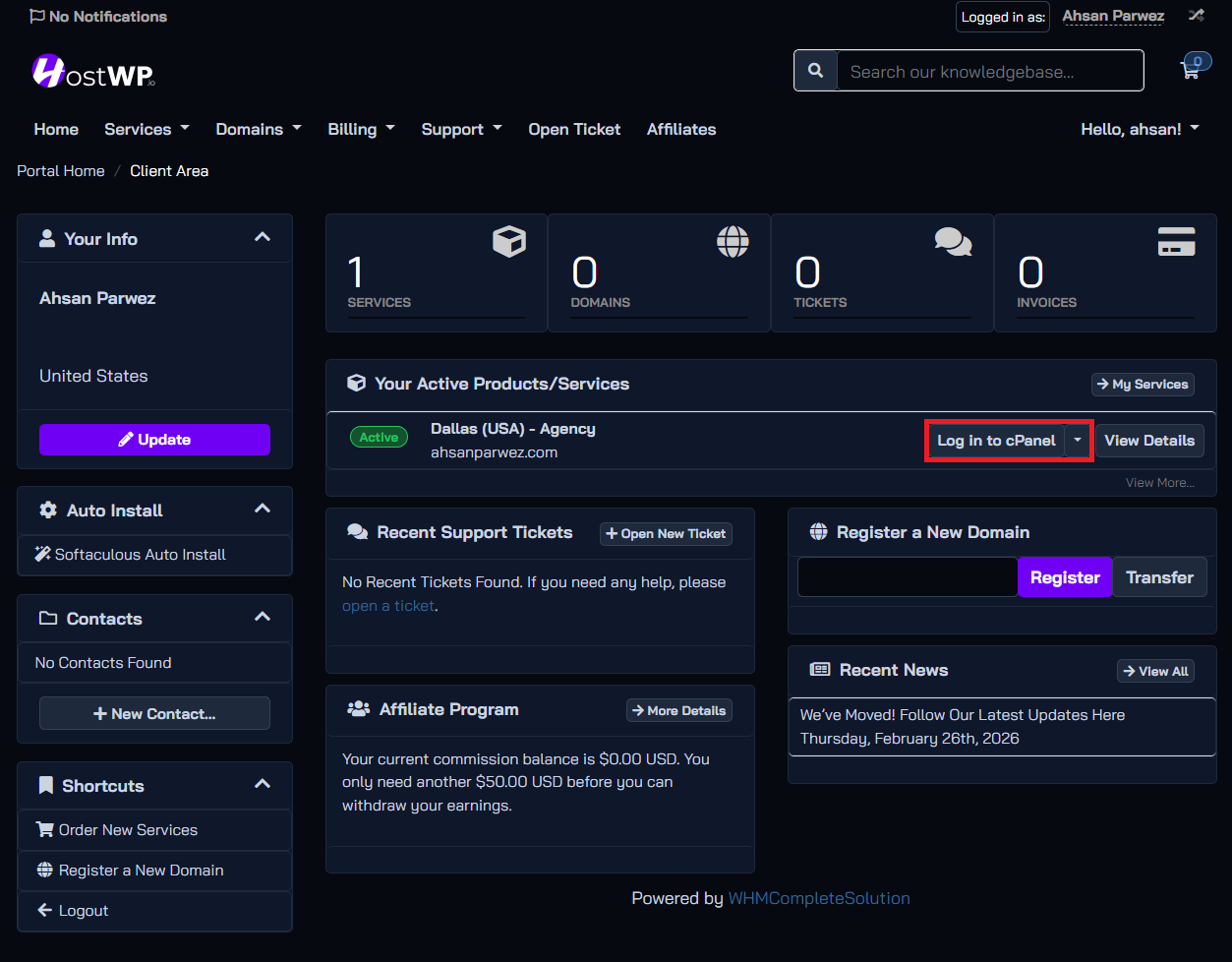
Step 1: Log in To HostWP & cPanel
Step 2: Go To Select PHP Version
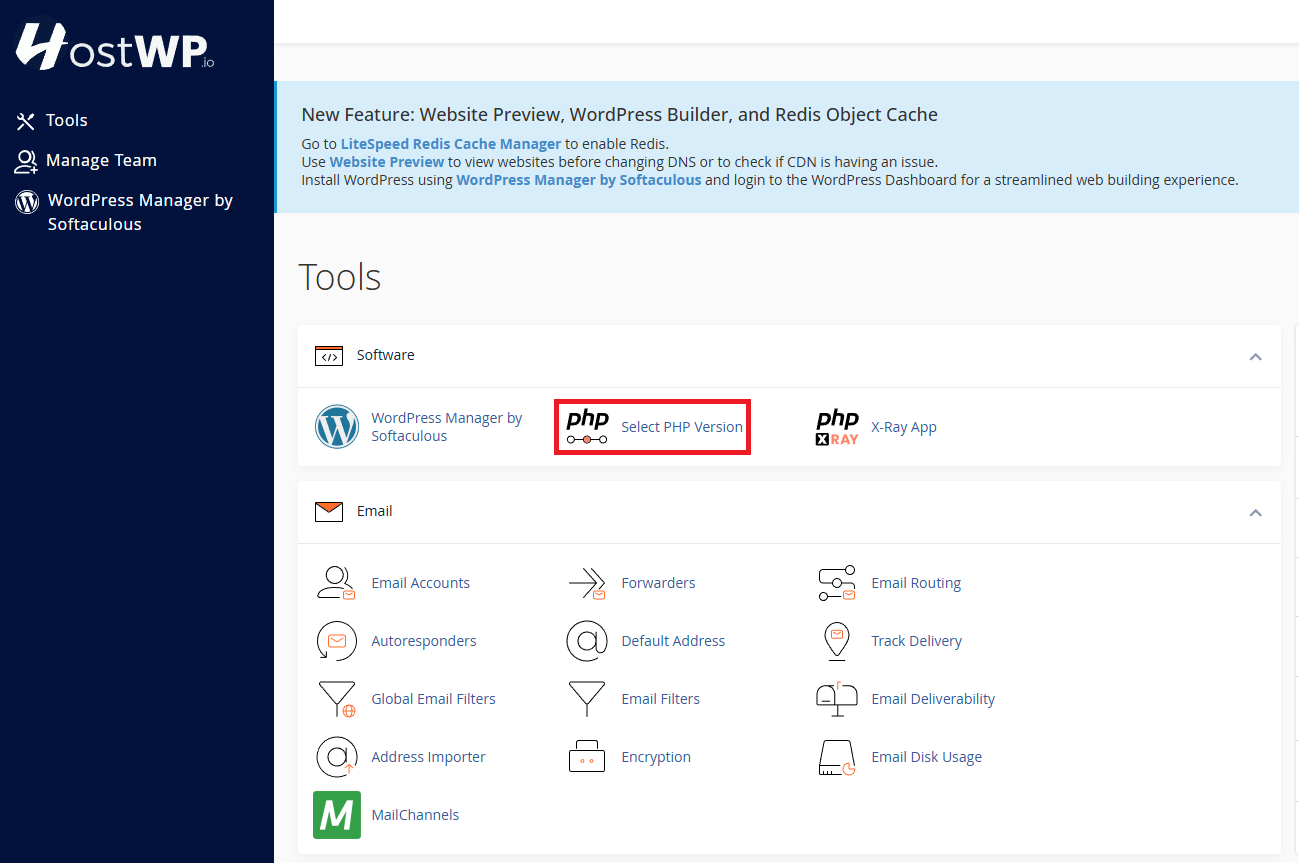
Step 3: Select PHP 8.5 From Dropdown
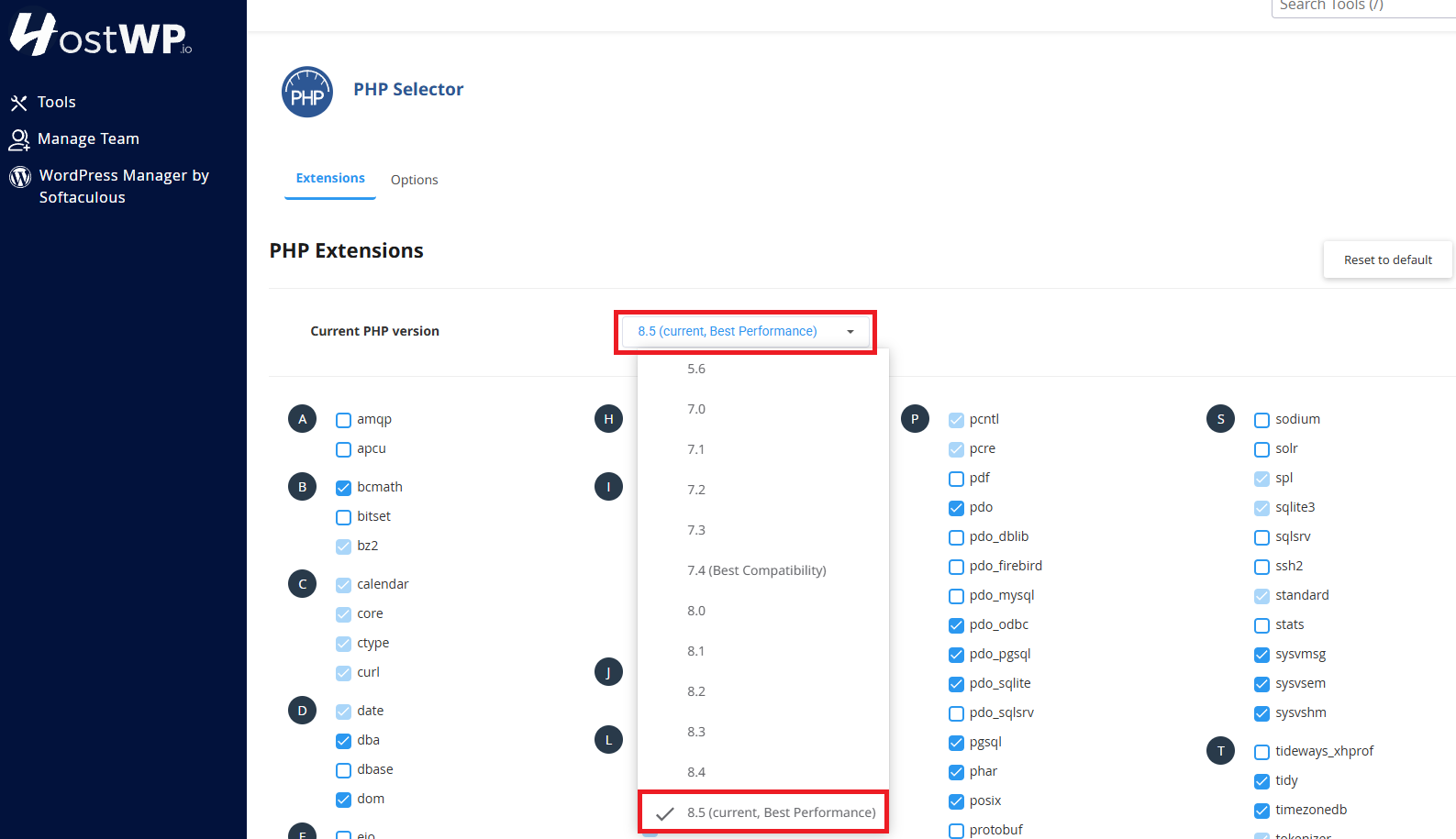
That’s it, now your WordPress websites will run on the latest PHP 8.5 version.
How To Verify PHP Version Inside WordPress
After performing the steps above, if you wish to make sure that your WordPress websites are utilizing PHP 8.5, you can simply log in to your WordPress websites’ admin hosted on HostWP.io and go to WP Admin > Tools > Site Health > Status > Info > Server

If you need help, our WordPress support team is available 24/7 to assist or verify compatibility before you upgrade.
PHP 8.5 + HostWP.io Performance Stack
PHP 8.5 works best when paired with a hosting environment built for WordPress performance.
On HostWP.io, PHP runs alongside:
- LiteSpeed Enterprise web servers
- Redis Object Cache
- NVMe storage
- QUIC.cloud CDN
- Optimized PHP handlers for WordPress
Need Help Deciding?
If you’re unsure whether PHP 8.5 is right for your website, our team of WordPress developers and hosting experts are happy to help. We can review your setup, check compatibility, and guide you through the upgrade process.
Start Using PHP 8.5 Today
PHP 8.5 is available now on all HostWP.io accounts at no additional cost.
Upgrade today and keep your WordPress sites fast, secure, and ready for what’s next.