


Why the Web is Moving Away from Monoliths
Traditional WordPress is a Monolithic CMS. This means the backend (where you write) and the frontend (what users see) are tightly coupled. Every time a user visits your site, the server has to process PHP, query the MySQL database, and generate HTML on the fly. This “Monolithic” bottleneck is often the reason for slow load times and security vulnerabilities.
By adopting a Decoupled (Headless) Architecture, we use WordPress only for what it does best: Content Management. For the frontend, we use Astro, a framework built specifically for the modern web’s performance demands.
1. The Astro Advantage
Astro isn’t just another JavaScript framework. It is a Static Site Generator (SSG) that pioneered the “Islands Architecture.”
Key Benefits for WordPress Users:
- Minimal JavaScript: Unlike React-based frameworks (like Next.js), Astro ships zero JavaScript to the browser by default. This results in an instant First Contentful Paint (FCP).
- Framework Agnostic: Want to use a React contact form but a Svelte image gallery? Astro allows you to mix and match frameworks within the same project.
- On-Demand Hydration: You can tell Astro exactly when to load JavaScript for a specific component (e.g., only when the component is visible on the screen).
2. Choosing the Right Backend Infrastructure
When building a headless site, your WordPress instance is no longer just a website; it is an API Engine. A slow backend means slow build times for your Astro site.
This is where your choice of infrastructure becomes critical. Standard shared hosting often throttles API requests. For a production-grade headless setup, you need a environment like HostWP.io’s Managed WordPress Hosting. Our servers are tuned for high-concurrency API throughput, ensuring that your Astro builds are lightning fast every time you push an update.
3. Preparing the WordPress “Head” (API Layer)
To connect Astro, we need a bridge. While the REST API is built-in, the industry standard for Headless WordPress is WPGraphQL.
Why WPGraphQL over REST?
- Under-fetching/Over-fetching: REST often gives you 100 fields when you only need 2. GraphQL lets you request exactly what you want.
- Single Request: You can fetch posts, categories, and site metadata in one single network request, whereas REST would require three.
Technical Checklist:
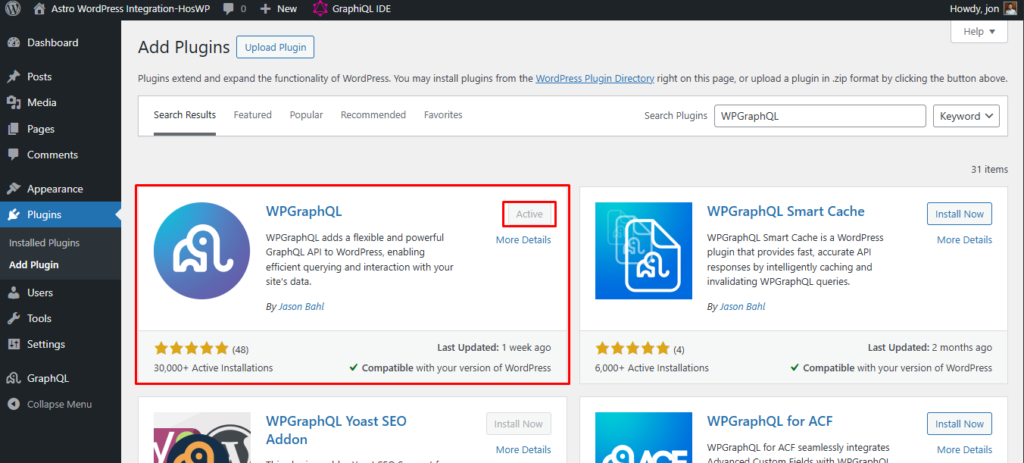
- Install WPGraphQL: This transforms your site into a GraphQL server.
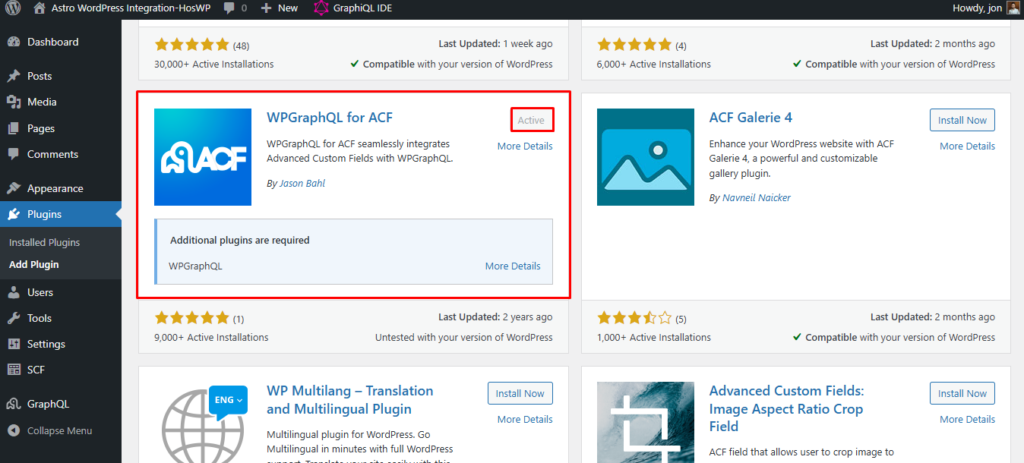
- Install WPGraphQL for ACF: If you use Advanced Custom Fields, this is essential to expose those custom fields to Astro.
4. Building the Astro-WordPress Bridge: A Detailed Roadmap
Step 1: Environment Orchestration
Initialize your Astro project with the following command:
npm create astro@latest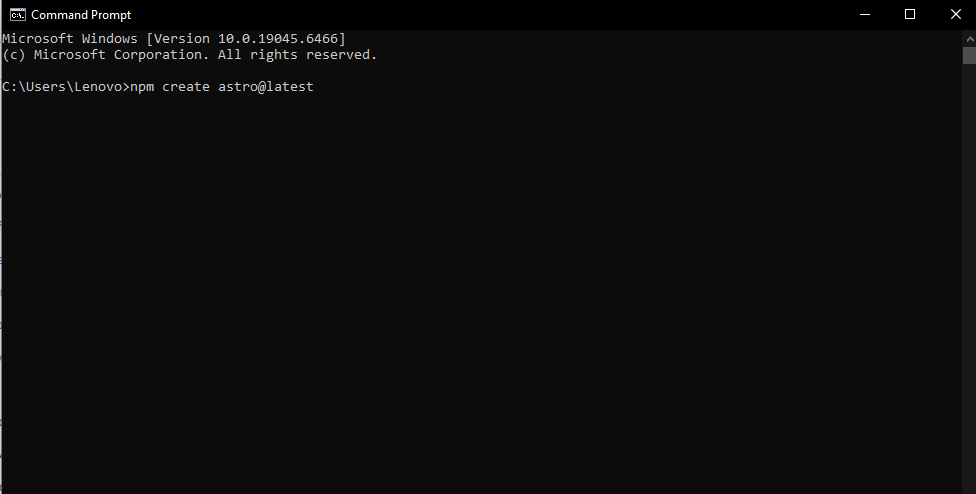
Install the GraphQL client. We use graphql-request or a simple fetch for minimal overhead:
Bash
npm install graphql
Step 2: Configuring Environment Variables
Never hardcode your API URL. Create a .env file. This is crucial for security and multi-environment setups (Staging vs. Production).
WORDPRESS_API_URL=https://api.yourdomain.com/graphqlStep 4: Display the Content
Now, move down to the HTML section of your index.astro file and loop through the data:
<html lang="en">
  <body>
    <h1>My Headless WordPress Blog</h1>
    <ul>
      {posts.map((post) => (
        <li>
          <h2 set:html={post.title} />
          <p set:html={post.excerpt} />
          <a href={`/blog/${post.slug}`}>Read More</a>
        </li>
      ))}
    </ul>
  </body>
</html>
Step 5: Architecting the Data Fetching Logic
Instead of writing fetch calls in every page, create a centralized library at src/lib/wp.ts. This makes your code maintainable.
/src/lib/wp.ts
<html lang="en">
  <body>
    <h1>My Headless WordPress Blog</h1>
    <ul>
      {posts.map((post) => (
        <li>
          <h2 set:html={post.title} />
          <p set:html={post.excerpt} />
          <a href={`/blog/${post.slug}`}>Read More</a>
        </li>
      ))}
    </ul>
  </body>
</html>
Step 6: Preview and Build
To see your site in action, run:
npm run dev
When you are ready to go live, run npm run build. Astro will reach out to WordPress, grab every post, and turn them into static .html files in the dist/ folder.
5. Advanced Dynamic Routing: Handling Thousands of Posts
A common question is: How does Astro handle 5,000 blog posts? The answer is Dynamic Routing with getStaticPaths.
In your src/pages/blog/[slug].astro, you define the logic to generate pages:
---
export async function getStaticPaths() {
  const data = await wpquery({
    query: `query AllPosts { posts(first: 100) { nodes { slug } } }`
  });
  return data.posts.nodes.map((post) => ({
    params: { slug: post.slug }
  }));
// Fetch individual post data using the slug…
}
---
For sites with massive content, you can use Hybrid Rendering (available in Astro 4.0+), which allows you to pre-render popular posts and server-render the rest on demand.
6. Performance Optimization & Security
Image Optimization
WordPress images are often unoptimized. Astro’s <Image /> component can automatically resize, compress, and convert WordPress images to WebP or AVIF format during the build process.
Hardening the Backend
Since your frontend is now a static site, you can hide your WordPress admin behind a private subdomain or even a local firewall. Using the HostWP.io Control Panel, you can restrict access to /wp-admin to specific IP addresses, virtually eliminating the risk of brute-force attacks.
7. Is Headless Right For You?
| Feature | Monolithic (Standard WordPress) | Headless (Astro + WordPress) |
| Speed | 60-80 Lighthouse Score | 95-100 Lighthouse Score |
| Developer Experience | Limited to PHP/Themes | React, Vue, Tailwind, TypeScript |
| Maintenance | High (Updates break CSS) | Low (Backend changes don’t break UI) |
| Cost | Higher server specs needed | Lower specs (Static is cheap to host) |
The Future is Composable
The “Astro WordPress integration” is more than just a trend; it is the professional standard for high-performance publishing. By decoupling your site, you gain creative freedom, unmatched speed, and enterprise-level security.
Ready to take the leap? Don’t let slow hosting bottleneck your headless project. Experience the optimized infrastructure at HostWP.io. From Managed WordPress Hosting to our custom Control Panel, we provide the foundation you need to build the fastest sites on the web.